
Cloudiway Pricing: Plans, Costs & Alternatives [2026 Guide]
If you've ever navigated Cloudiway's per-user, per-product licensing structure, trying to calculate whether you need separate licenses for mailboxes, files, and archives, while discovering that consulting services can add around $170 per hour on top, you know that cloud migration pricing can feel like assembling a budget where every data type has its own price tag.
Cloudiway has established itself as a comprehensive cloud migration and coexistence platform, helping organizations move data between Microsoft 365, Google Workspace, and legacy systems like Lotus Notes during complex transitions such as mergers, acquisitions, and platform changes. The platform offers everything from mailbox migration to Microsoft Teams transfers, backed by SOC 2 Type 2 certification and GDPR compliance.
But as Cloudiway has expanded from basic email migration to encompass files, sites, teams, and enterprise coexistence features, its pricing structure has evolved into a per-product licensing model where the cost depends on multiple variables: what types of data you're migrating, which license bundles you choose, and whether you require consulting assistance.
I've spent time analyzing Cloudiway's pricing tiers, license types, and additional costs. Cloudiway is the right choice if:
- You're undertaking a complex migration during a merger, acquisition, or divestiture
- You need to move mailboxes, files, Teams, and SharePoint between different tenants
- Your project requires temporary enterprise coexistence during a transition period
- You have technical resources to manage a large-scale migration project
- You need to migrate from legacy systems like Lotus Notes or Zimbra
However, Cloudiway may be more than you need if:
- You don't need to migrate data; you simply want ongoing cross-company directory sharing
- Your organizations already use different identity providers (Microsoft, Google, Okta) and need employees to find contacts across companies
- You want a lightweight solution that IT can deploy without consulting services
- You need permanent directory federation rather than one-time migration
- You're building AI or agentic workflows that need access to contact data across multiple organizations
If the second list describes your situation, you should consider Federated Directory: a cross-company contact directory service purpose-built for organizations that need to share corporate address books across company boundaries without migrating data between systems.
Because of that, I've included a detailed pricing comparison with Federated Directory in this review as an alternative approach for businesses focused on directory sharing rather than data migration. With that said, if you're eager to jump into the Federated Directory pricing breakdown, go ahead and do so with this link.
Table of contents
- Cloudiway Pricing Summary
- Cloudiway Pricing: In-Depth Overview
- When Cloudiway May Be More Than You Need
- Best Cloudiway Alternative — Federated Directory
- Cloudiway Feature Value Breakdown (vs Federated Directory)
- Cloudiway Pricing FAQ
- Final Verdict: Cloudiway vs Federated Directory
Cloudiway Pricing Summary
| Cloudiway | Federated Directory | |
|---|---|---|
| Free Tier | Trial licenses: Limited data caps (e.g., 10 mail items, 100 MB total for files) Single-use for testing Full feature access | Up to 20 users free Full feature access No time limits |
| Entry Level | Standard licenses: ~$11/user Up to 50 GB mailbox Single-use, per-product | Accessible pricing tiers All features included No per-product licensing |
| Bundle Options | Premium Migration: ~$17/user Includes mailbox + file + archive storage 50 GB + 25 GB limits | Volume discounts available Pricing scales with user count Same full features at every tier |
| High Volume | Licenses never expire Can be converted to other workloads Consulting: ~$170/hour extra | Steep volume discounts Self-service deployment No consulting required |
| Best For | Organizations undertaking complex cloud migrations during mergers, acquisitions, or platform transitions | Companies needing ongoing cross-company directory sharing without data migration |
Cloudiway Pricing: In-Depth Overview
Cloudiway operates on a per-user, per-product, single-use licensing model that separates migration needs by data type.
This means migrating a user's mailbox and their files requires two separate licenses, unless you purchase a bundle that combines multiple workloads. The platform offers one-time license purchases that never expire, giving organizations flexibility in when they execute their migrations.
Beyond base licenses, Cloudiway offers consulting services at approximately $170 per hour for complex implementations.
Let's examine each license type to understand the cost of running a migration project on Cloudiway.
Cloudiway Trial Licenses: Free (Limited Data Caps)
| Feature | Details |
|---|---|
| Price | Free |
| Mail Limit | 10 items per object type (mails, contacts, calendars) |
| File Limit | 100 MB total |
| Teams Limit | 10 messages per channel, 10 files per team |
| Usage | Testing and evaluation with 90-day delta pass window |
Trial licenses provide full access to Cloudiway's migration features but restrict the amount of data that can be transferred. This is designed for proof-of-concept testing rather than production use. The limited data caps are sufficient to validate that the migration process works correctly with your specific systems before committing to paid licenses. Once a trial license is consumed, you can run unlimited delta passes for 90 days.
| Trial Licenses Pros | Trial Licenses Cons |
|---|---|
| ✅ Full functionality access | ❌ Strict data limits |
| ✅ No credit card required | ❌ Not practical for real migrations |
| ✅ Good for testing | ❌ Item-based caps for mail |
| ✅ Validates compatibility | ❌ 100 MB total file limit |
The Bottom Line 👉 Trial licenses work for validating Cloudiway's compatibility with your systems, but any real migration requires paid licenses immediately.
Cloudiway Standard Licenses: ~$11 per User
| License Type | Price | Data Limit | Usage |
|---|---|---|---|
| Mailbox Migration | ~$11/user | 50 GB per mailbox | Single use |
| File Migration | ~$11/user | 25 GB per storage account | Single use |
| Archive Migration | ~$11/user | Up to 50 GB for archives | Single use |
Standard licenses form the foundation of Cloudiway's pricing model. Each license type covers a specific data category, meaning you need separate purchases for mailboxes, files, and archives if buying individual licenses. Prices start around €9.50 to $11 per user depending on volume and purchase method.
All standard licenses include basic support and the ability to perform delta passes for up to 90 days after the initial migration.
| Standard Licenses Pros | Standard Licenses Cons |
|---|---|
| ✅ 90-day delta pass window | ❌ Separate licenses per data type |
| ✅ Generous storage limits | ❌ Costs multiply with multiple data types |
| ✅ Basic support included | ❌ Single-use model |
| ✅ Volume discounts available | ❌ No automation features included |
The Bottom Line 👉 Standard licenses suit straightforward single-data-type migrations, but costs add up quickly when migrating multiple data types per user.
Cloudiway Premium Migration License: ~$17 per User
| Feature | Details |
|---|---|
| Price | ~$17/user |
| Mailbox Limit | Up to 50 GB |
| File Storage Limit | Up to 25 GB |
| Archive Included | Yes |
| Combined Savings | As an alternative to purchasing separately |
The Premium Migration License bundles mailbox, file storage, and archive migration into a single purchase, providing better value than buying separate licenses. At approximately $17 per user (based on $590 for 35 licenses), it costs less than purchasing three individual licenses. This license targets organizations migrating email, OneDrive or Google Drive data, and archives for each user.
| Premium Migration License Pros | Premium Migration License Cons |
|---|---|
| ✅ Bundled pricing saves money | ❌ Still single-use |
| ✅ Covers three data types | ❌ Fixed storage limits |
| ✅ Same 90-day delta window | ❌ Higher upfront cost than single workload |
| ✅ Simplifies purchasing | ❌ May include unneeded workloads |
The Bottom Line 👉 Premium Migration Licenses offer better value for complete user migrations that require mailbox, files, and archive transfers.
Cloudiway Mail & Archive License: ~$16.45 per User
| Feature | Details |
|---|---|
| Price | ~$16.45/user |
| Mailbox Limit | 50 GB |
| Archive Limit | 50 GB |
| Target Use Case | Users with compliance archives |
The Mail & Archive Migration License bundles primary mailbox and archive migration for organizations that maintain compliance or legal archives alongside active mailboxes. This is relevant for Microsoft 365 In-Place Archives or Google Vault migrations. The pricing is comparable to the Premium Migration License at approximately $16.45 per user.
| Mail & Archive License Pros | Mail & Archive License Cons |
|---|---|
| ✅ Covers mailbox and archive | ❌ No file storage included |
| ✅ 100 GB total capacity | ❌ Single-use license |
| ✅ Good for compliance needs | ❌ Additional license for files |
| ✅ Same delta pass benefits | ❌ Archives may need more space |
The Bottom Line 👉 Mail & Archive Licenses suit compliance-focused organizations, but those also migrating files need yet another license type or should consider the Premium bundle.
Cloudiway License Flexibility
| License Feature | Details | Benefits |
|---|---|---|
| Expiration | Licenses never expire | Use when ready |
| Convertibility | Can convert to other workload types | Flexibility if needs change |
| Delta Passes | 90 days of unlimited delta passes | Sync changes after initial migration |
Cloudiway licenses offer flexibility through their non-expiring nature. Unused licenses can be converted to different workload types if your migration needs change. This model works well for organizations running multiple migration projects over time or those who need to adjust their approach mid-project.
| License Flexibility Pros | License Flexibility Cons |
|---|---|
| ✅ Licenses never expire | ❌ Still per-product licensing |
| ✅ Convertible between workloads | ❌ Initial commitment required |
| ✅ Good for ongoing projects | ❌ Complex for one-time projects |
| ✅ Predictable budgeting | ❌ Upfront cost planning needed |
The Bottom Line 👉 License flexibility makes Cloudiway suitable for organizations with multiple migration projects or uncertain timelines.
Cloudiway Additional Costs
Beyond base license fees, Cloudiway's total costs come from additional services:
Consulting Services:
- Approximately $170 USD per hour for expert assistance (based on reseller listings)
- Available for migration planning and configuration
- Often helpful for complex scenarios
Enterprise Coexistence:
- Separate subscriptions for ongoing coexistence
- Calendar free/busy synchronization
- Global Address List Synchronization (GALSync)
- Pricing requires direct inquiry
Premium Support:
- Reduced response times
- Extended coverage including weekends
- Pricing not publicly disclosed
Data Overages:
- Licenses have fixed storage limits
- Exceeding limits requires additional licenses
- Migrations stop when limits are reached
When Cloudiway May Be More Than You Need
Cloudiway delivers advanced migration capabilities for complex enterprise transitions. However, if your actual need is ongoing directory sharing rather than data migration, the platform's architecture and pricing model may not align with your use case:
Migration-Centric Architecture
Cloudiway is designed for moving data between systems. If you're not migrating — just connecting existing address books so employees can find contacts across partner organizations — you're paying for migration infrastructure you won't use. Cloudiway does offer GALSync as a coexistence feature, but it's positioned as part of a migration ecosystem rather than a standalone directory federation solution.
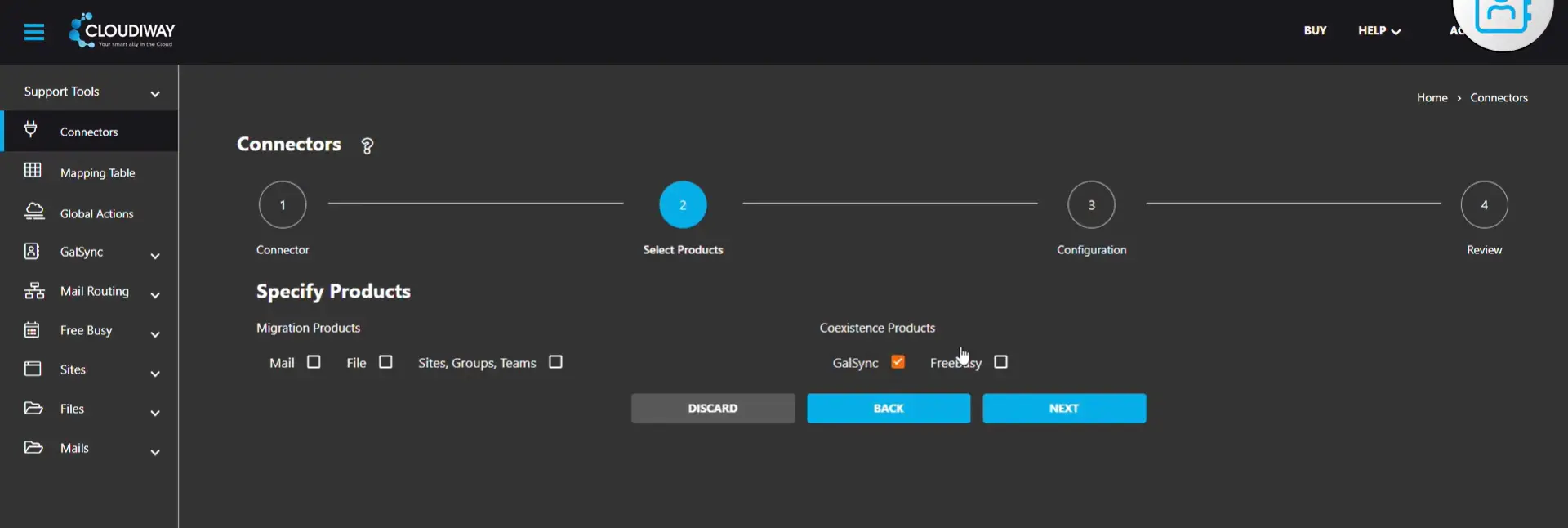
Per-Product Licensing Complexity
Each data type (mailboxes, files, archives) requires separate licenses unless you purchase bundles. This model makes sense for migration projects with defined scope but creates unnecessary complexity for organizations seeking simple, ongoing directory access.
Single-Use License Model
Licenses are consumed during migration and cannot be reused for different users. After the 90-day delta pass window, the license cannot run new migrations. For organizations needing permanent directory synchronization rather than one-time migration, this model requires ongoing subscription to separate coexistence tools.
Consulting Investment
At approximately $170 per hour, consulting costs can add significantly to project expenses. Complex migrations often benefit from professional guidance, but organizations that just need connected address books may find this overhead unnecessary for their simpler requirements.
These considerations have led some organizations to explore solutions purpose-built for ongoing cross-company directory federation rather than data migration.
Best Cloudiway Alternative — Federated Directory
Federated Directory provides a different approach: instead of migrating data between systems, it connects existing corporate directories so employees can find contacts across trusted partner organizations without moving any data.
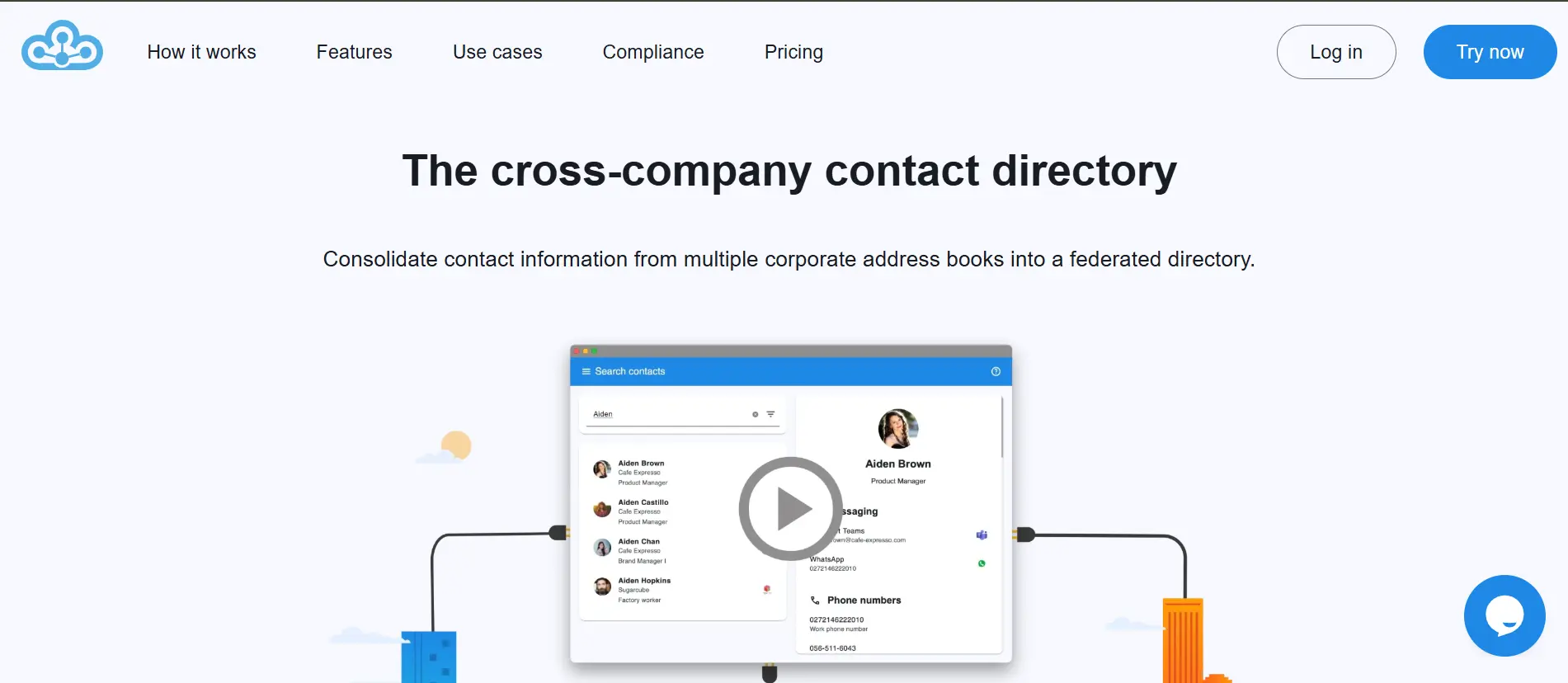
For organizations that came looking for Cloudiway but realized they don't need migration — just ongoing directory sharing — Federated Directory offers a purpose-built solution with accessible pricing, full feature access at every tier, and native integrations with Microsoft 365, Google Workspace, Okta, and OneLogin.
Based in Europe with a focus on data sovereignty, Federated Directory serves organizations that need to share contact information across company boundaries without the overhead of a full migration platform. The service creates a unified, searchable directory where employees from different organizations can find each other's contact details instantly, without requiring those organizations to use the same identity provider or email platform.
Federated Directory is well-suited for holding companies with multiple business units using different IT stacks, franchise organizations, project-based collaborations, and any group of companies that work together regularly and need seamless access to each other's address books. It also supports organizations during mergers and acquisitions, providing immediate cross-company collaboration while full IT integration happens in the background.
Federated Directory Free Tier: Up to 20 Users
| Feature | Details |
|---|---|
| Price | $0/month |
| Users | Up to 20 |
| Features | Full access to all features |
| Integrations | Microsoft, Google, Okta, OneLogin |
| Commitment | None required |
Unlike Cloudiway's data-limited trial, Federated Directory's free tier provides complete functionality for up to 20 users with no time limit. This makes it suitable for small teams or pilot programs, not just testing. The full feature access includes cross-company groups, SCIM-compliant API, and all platform integrations.
| Free Tier Pros | Free Tier Cons |
|---|---|
| ✅ Free, not just a trial | ❌ Limited to 20 users |
| ✅ All features included | ❌ Must upgrade for larger deployments |
| ✅ No time limits | ❌ Support details not published |
| ✅ Full integration access |
The Bottom Line 👉 The free tier provides a starting point for small collaborations or proof-of-concept deployments. It is ideal for developers evaluating the platform before a broader rollout.
Federated Directory Paid Tiers
| Feature | Details |
|---|---|
| Pricing Model | Per-user, per-month |
| Volume Discounts | Steep discounts for larger deployments |
| Features | All features included at every tier |
| Deployment | Self-service, no consulting required |
Federated Directory uses a volume-based model where the per-user cost decreases as your user count increases. Pricing is designed to be accessible, allowing developers and technical decision-makers to adopt the platform without requiring extensive budget justification or executive approval. Every pricing tier includes full feature access; the only variable is the number of users.
| Volume Pricing Pros | Volume Pricing Cons |
|---|---|
| ✅ Simple, predictable pricing | ❌ Specific pricing requires inquiry |
| ✅ Steep volume discounts | ❌ Must commit to user count |
| ✅ All features at every tier | |
| ✅ No per-product calculations |
The Bottom Line 👉 Volume pricing rewards growth rather than penalizing it, with pricing accessible enough for developers to adopt without extensive justification processes.
Federated Directory Features Included at Every Tier
| Feature | Included |
|---|---|
| Cross-Company Groups | ✅ |
| Advanced Filtering (company, department, title, manager) | ✅ |
| Custom User Attributes | ✅ |
| Data Normalization (unified schema across sources) | ✅ |
| SCIM 2.0 API Access | ✅ |
| MCP Endpoint for AI Integration | ✅ |
| Microsoft 365 Integration | ✅ |
| Google Workspace Integration | ✅ |
| Okta Integration | ✅ |
| OneLogin Integration | ✅ |
| Outlook Add-in | ✅ |
| Teams Integration | ✅ |
Federated Directory provides consistent functionality across all tiers, with the free tier including every feature. There are no feature gates or add-ons for core functionality. The platform works as a complement to existing identity solutions. It integrates with whatever identity infrastructure organizations already have (Microsoft, Google, Okta, OneLogin) rather than replacing it.
AI Integration and Developer Capabilities
Federated Directory offers a SCIM-compliant API and an MCP (Model Context Protocol) endpoint designed for AI integration.
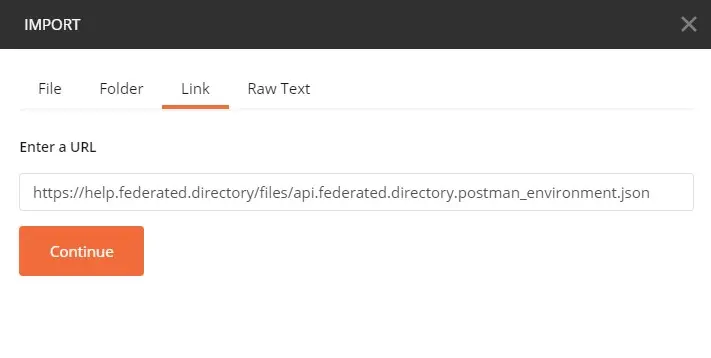
As organizations implement AI and agentic workflows, they need contact data accessible to LLMs, but connecting AI directly to identity management systems exposes sensitive permissions and access data.
Federated Directory serves as a safe data layer: AI agents can query contact information (names, titles, phone numbers, email addresses, reporting structures) without accessing the underlying identity provider's permissions, group memberships, or security configurations.
For organizations with multiple subsidiaries or partners using different identity tenants, Federated Directory provides a single endpoint for AI agents to query "human capital" data across all connected organizations, avoiding the complexity of building integrations with multiple disparate APIs.
European Data Sovereignty
Based in Europe, Federated Directory aligns with European data sovereignty requirements and GDPR compliance considerations. For European companies and government organizations moving toward sovereign cloud strategies, or those working with partners who have adopted non-US identity providers, Federated Directory maintains cross-company directory visibility regardless of which platforms partner organizations choose.
User Adoption: No Behavior Change Required
A common objection when evaluating new tools is whether employees will actually use them. Federated Directory addresses this by integrating into workflows employees already use daily.
The Outlook add-in and Teams app mean users access the federated directory through a button in their existing email and collaboration tools. They don't need to learn a new application or change their habits.
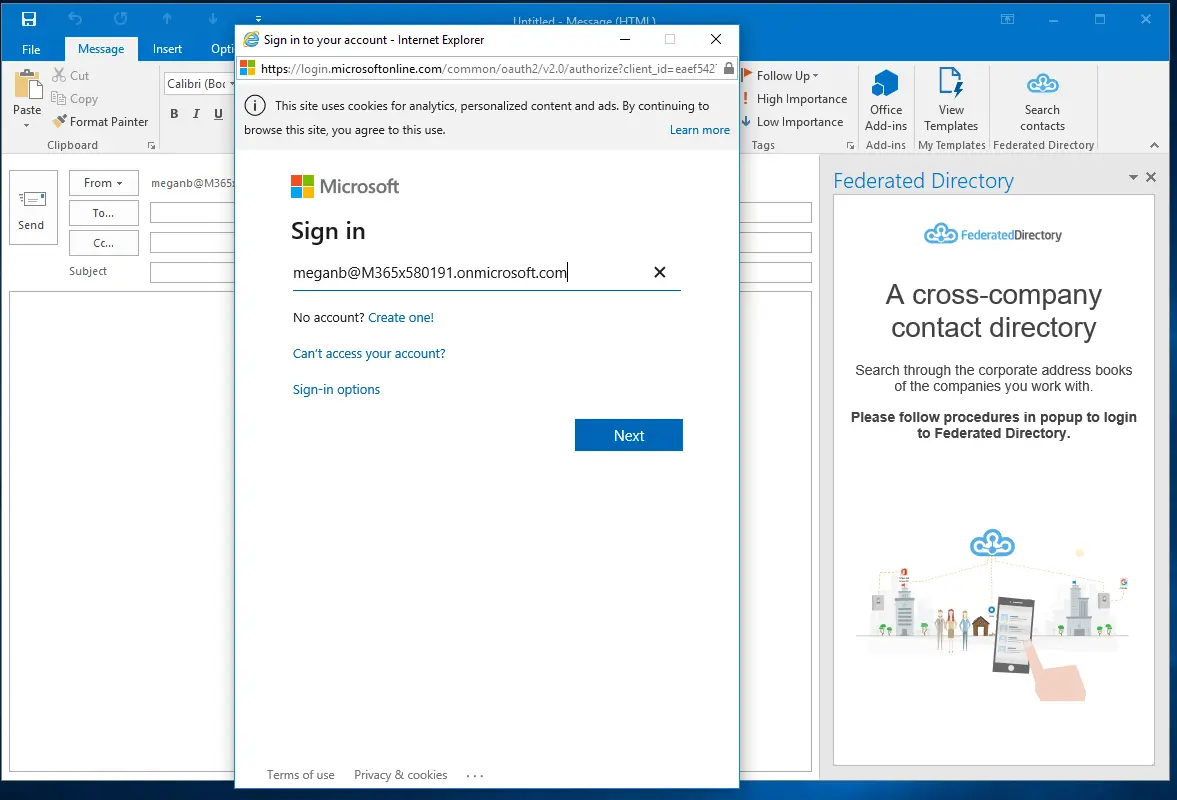
For organizations with AI-integrated environments, employees may not even make a conscious decision to use Federated Directory — it becomes the data source their AI assistant queries when finding contact information across partner companies.
Cloudiway Feature Value Breakdown (vs Federated Directory)
Purpose and Approach
Cloudiway's Approach: Cloudiway is a migration platform designed to move data from one system to another. Its coexistence features (calendar sync, GALSync) can support both transitional periods during long migrations and longer-term multi-platform environments. The platform excels when you need to physically transfer mailboxes, files, and archives between tenants.
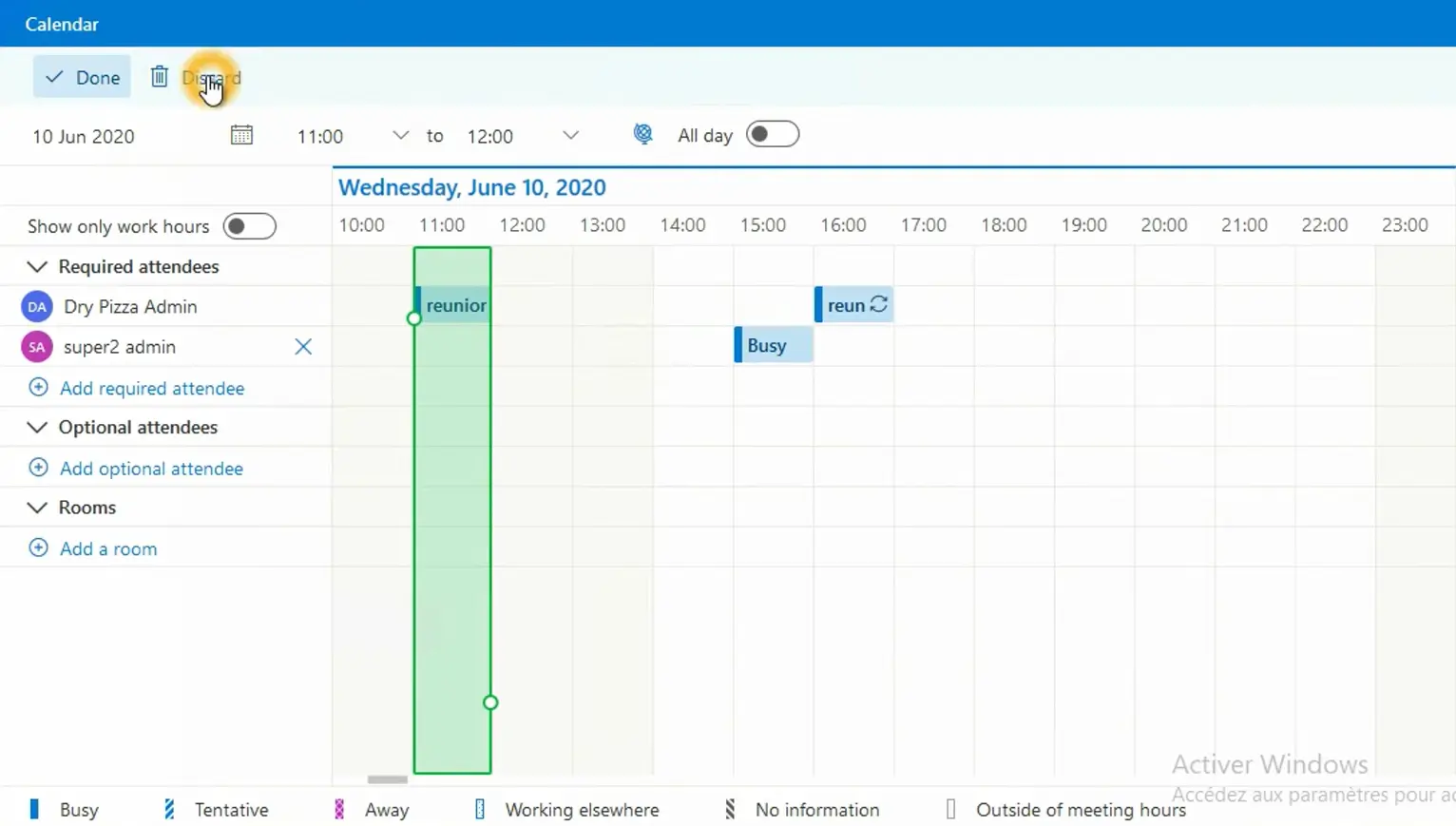
Federated Directory's Approach: Federated Directory is designed for ongoing, permanent directory sharing without data migration. Rather than moving data, it connects existing directories so users can search across organizations. Each company maintains its own address book while granting read access to trusted partners. It complements existing identity solutions rather than replacing them.
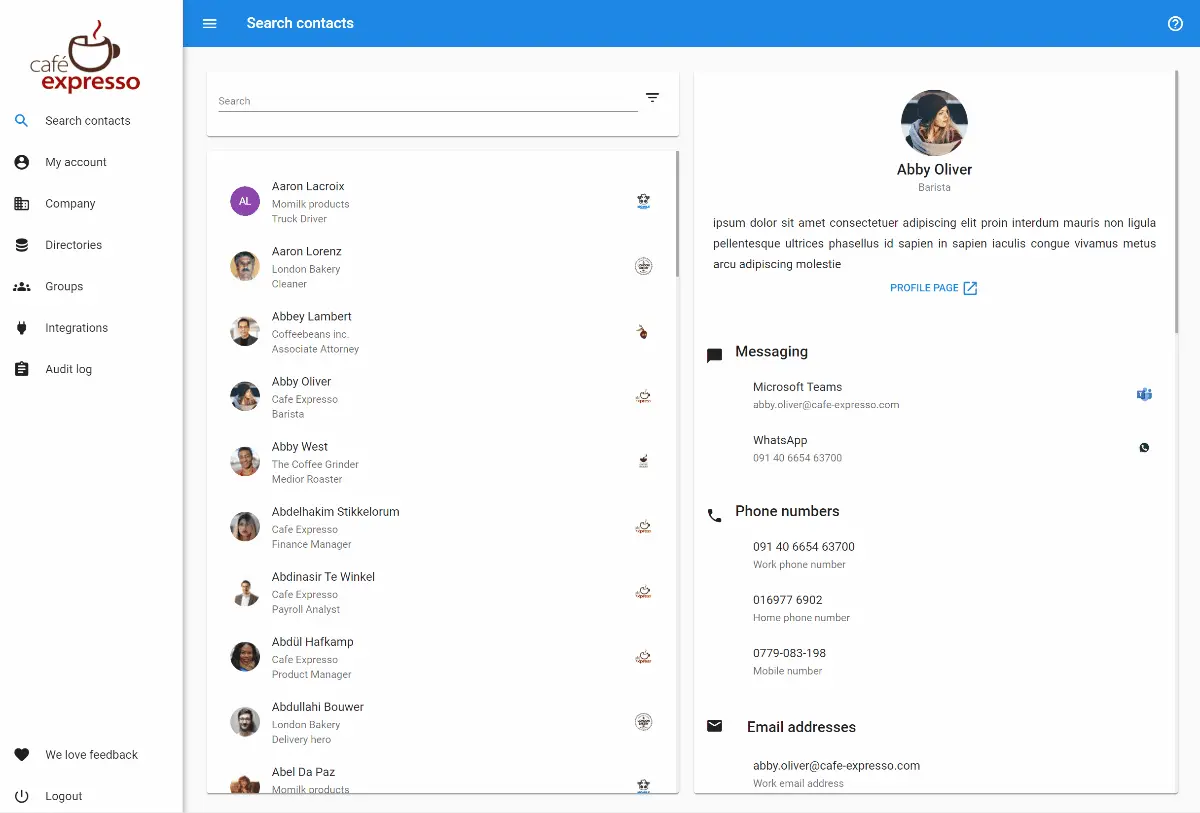
🪙 Value Verdict: These tools solve different problems. Cloudiway suits organizations that need to move data between systems; Federated Directory suits those who want ongoing cross-company directory access without migration.
Pricing Model Complexity
Cloudiway's Approach: Cloudiway's per-user, per-product model requires calculating separate costs for mailboxes, files, and archives when purchased individually.
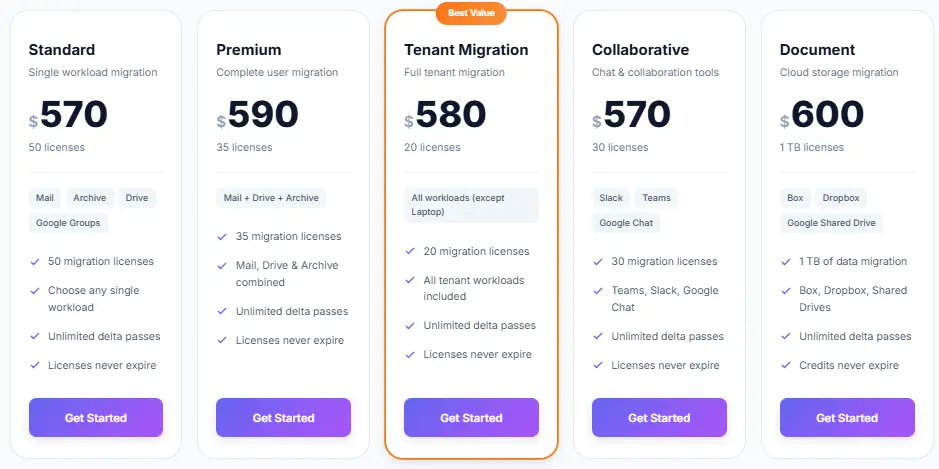
A 500-user migration involving all three data types purchased separately could cost approximately $16,500 (500 users × 3 products × $11), plus consulting hours. Bundle licenses like Premium Migration can reduce this by covering multiple workloads in one purchase.
Federated Directory's Approach: Federated Directory charges per user per month with all features included and steep volume discounts. The free tier covers up to 20 users with full functionality. Pricing is designed to be accessible for developer adoption without extensive budget justification.
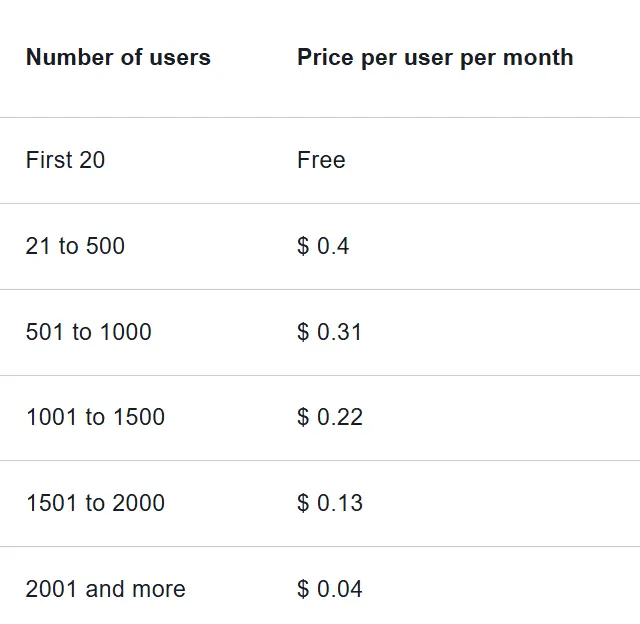
🪙 Value Verdict: Federated Directory offers simpler budgeting with per-user pricing and no per-product calculations; Cloudiway's complexity is justified for organizations with actual migration requirements.
Integration Ecosystem
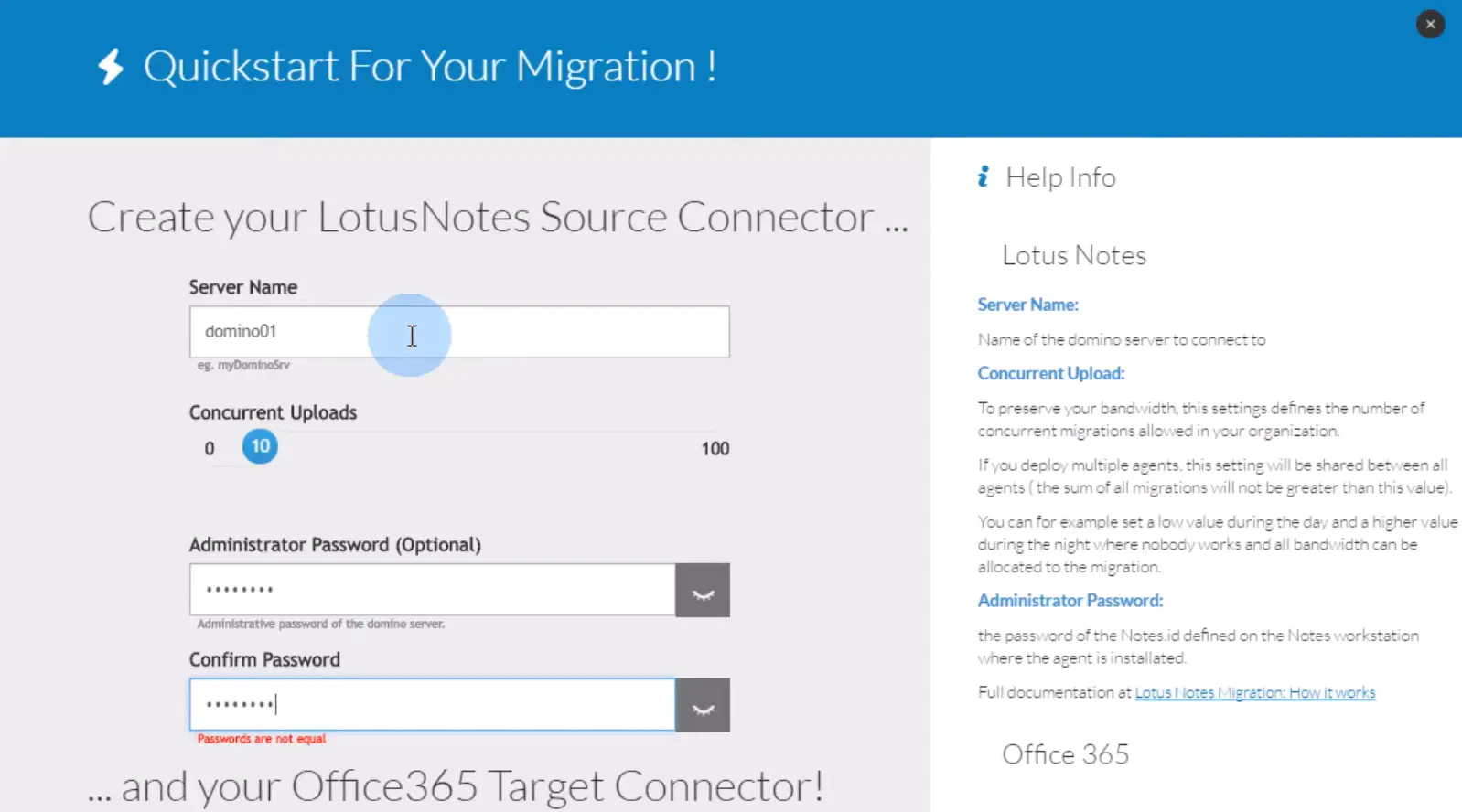
Cloudiway's Approach: Cloudiway supports migration paths between Microsoft 365, Google Workspace, Slack, Lotus Notes, Zimbra, and various on-premises systems. Its integration focus is on extracting data from source systems and importing it into target systems.
Federated Directory's Approach: Federated Directory integrates with Microsoft 365, Google Workspace, Okta, and OneLogin for identity management and user provisioning. It provides a SCIM 2.0 API for custom integrations and an MCP endpoint for AI integration. These integrations focus on keeping directory data synchronized and accessible rather than moving it.
🪙 Value Verdict: Cloudiway suits complex cross-platform migrations; Federated Directory suits connecting and synchronizing existing directories across identity providers.
Architecture and Complexity
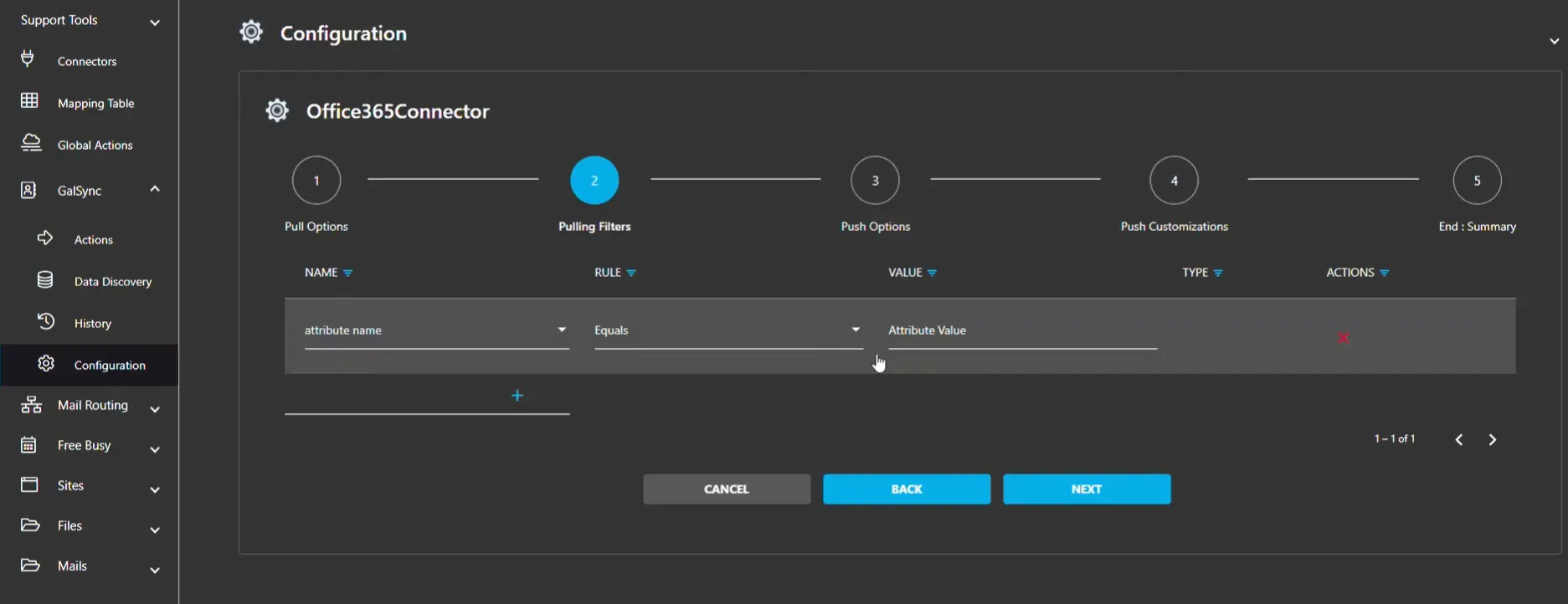
Cloudiway's Approach: For ongoing directory synchronization via GALSync, Cloudiway requires configuring synchronization between each pair of tenants. For three environments, you configure three-way syncing; for four, four-way. The configuration complexity scales with each additional organization.
Federated Directory's Approach: Federated Directory uses a hub model where each organization connects once to the federated directory. Adding a tenth partner organization requires exactly one connection, not nine new sync configurations. This avoids the mesh complexity that makes traditional directory sync solutions difficult to maintain at scale.
🪙 Value Verdict: Federated Directory's architecture scales more simply as organizations add partners; Cloudiway's GALSync is designed primarily for migration scenarios with smaller numbers of tenants.
Long-Term Value
Cloudiway's Approach: After a migration project completes, Cloudiway migration licenses are consumed. Organizations retain portal access but cannot run new migrations with those licenses. For continued coexistence features like GALSync, separate subscriptions are required. The platform delivers primary value during the migration project.
Federated Directory's Approach: Federated Directory provides ongoing value as long as the service is used. Users can search the federated directory continuously, contact information stays synchronized automatically, and new partner companies can be added to collaboration groups. The value grows over time as more connections are established.
🪙 Value Verdict: Federated Directory suits ongoing collaboration value; Cloudiway suits one-time project investments with optional ongoing coexistence through separate subscriptions.
Cloudiway Pricing FAQ
How much does Cloudiway cost per user?
Standard licenses start around $11 per user for individual data types (mailbox, files, or archives). Bundled licenses like the Premium Migration License cost approximately $17 per user and include mailbox (50 GB), file storage (25 GB), and archive migration. These are single-use licenses, not recurring subscriptions.
What's the minimum Cloudiway purchase?
Cloudiway offers prepaid bundles starting at various license quantities. The per-product licensing model means even small migrations require multiple license purchases if migrating different data types separately, though bundles can cover multiple workloads. Trial licenses are free but have limited data caps (such as 10 mail items per object type and 100 MB total for files).
Do Cloudiway licenses expire?
Cloudiway licenses never expire, giving organizations flexibility in timing their migrations. Each license includes 90 days of delta pass capability after the initial migration to sync any changes. Unused licenses can be converted to other workload types if your needs change.
What additional costs should I expect with Cloudiway?
Beyond license fees, consulting services are available at approximately $170 per hour for expert assistance (based on reseller listings). Premium support options are available at additional cost. Enterprise Coexistence for ongoing calendar and address book synchronization requires separate subscriptions. Complex migrations often benefit from professional services.
How does Federated Directory compare to Cloudiway's GALSync?
Cloudiway's GALSync is a coexistence feature that synchronizes Global Address Lists across tenants, often used during or after migrations. Federated Directory is a dedicated cross-company directory service purpose-built for ongoing directory federation without migration.
Key differences include: Federated Directory uses a hub architecture that scales linearly as you add partners (rather than requiring configuration between each pair), offers AI integration via MCP endpoint, and supports organizations using different identity providers (one partner on Microsoft, another on Google).
For organizations focused on permanent directory federation without migration needs, Federated Directory is purpose-built for that use case.
When should I choose Cloudiway vs. Federated Directory?
Choose Cloudiway if you need to physically migrate data between systems — moving mailboxes, files, Teams, and archives from one tenant to another during a merger, acquisition, or platform consolidation.
Choose Federated Directory if your organizations want to maintain their separate identity systems but need employees to find contacts across companies. No data migration required, just connected address books.
Does Federated Directory work with AI assistants?
Yes. Federated Directory provides an MCP (Model Context Protocol) endpoint designed for AI integration. This allows LLMs and AI agents to query contact data without accessing the underlying identity provider's permissions or security configurations. For organizations with multiple subsidiaries or partners using different identity tenants, Federated Directory provides a single endpoint for AI queries across all connected organizations.
Is Federated Directory GDPR compliant?
Federated Directory is based in Europe and designed with European data sovereignty requirements in mind. The platform allows organizations to maintain full control over which data they share. Companies don't have to expose their entire directory — they share only what they explicitly choose to. For specific compliance requirements, organizations should review their data protection obligations with appropriate advisors.
Final Verdict: Cloudiway vs Federated Directory
The choice between Cloudiway and Federated Directory depends on whether you need to migrate data or share directories:
Cloudiway is a comprehensive cloud migration platform designed for organizations undertaking complex data transfers during mergers, acquisitions, or platform transitions. With per-user, per-product licensing starting around $11 per data type (or bundled options for better value), it enables IT teams to move mailboxes, files, Teams, and sites between Microsoft 365, Google Workspace, and legacy systems while maintaining data integrity and security.
This migration-focused approach works well for organizations consolidating tenants after corporate restructuring, IT teams migrating from legacy systems like Lotus Notes, and MSPs managing multiple migration projects for clients.
Get started with Cloudiway here.
Federated Directory is a cross-company contact directory service purpose-built for organizations that need ongoing directory sharing without data migration. With a free tier for up to 20 users and accessible volume-based pricing for larger deployments, it enables permanent directory federation across trusted organizations, regardless of whether they use Microsoft, Google, Okta, or other identity providers.
The platform integrates into existing workflows through Outlook and Teams add-ins, offers SCIM API and MCP endpoint for developers building AI integrations, and is designed with European data sovereignty in mind.
This ongoing collaboration approach suits holding companies connecting subsidiary address books across different IT stacks and franchise organizations enabling communication across locations. It also connects project-based collaborations between separate legal entities, organizations during M&A that need immediate cross-company contact access while IT integration proceeds, and developers building AI workflows that need a safe, single endpoint for contact data across multiple organizations.
Get started with Federated Directory here.
The difference isn't just pricing — it's purpose. Cloudiway asks "How can we move your data from one system to another?" Federated Directory asks "How can we connect your directories so people can find each other across company boundaries without migrating anything?"
If you came here searching for Cloudiway pricing because you assumed you needed migration, take a moment to clarify your actual requirement. If it's ongoing directory access rather than data migration, Federated Directory is likely exactly what you need.
Need to connect your company's address book with partner organizations — without migrating data? Federated Directory makes it simple: a free tier for up to 20 users, full feature access at every plan, and deployment in minutes.
Try Federated Directory Free