
7 Microsoft Entra ID Alternatives: Specialized Identity Solutions for Growing Businesses (2026)
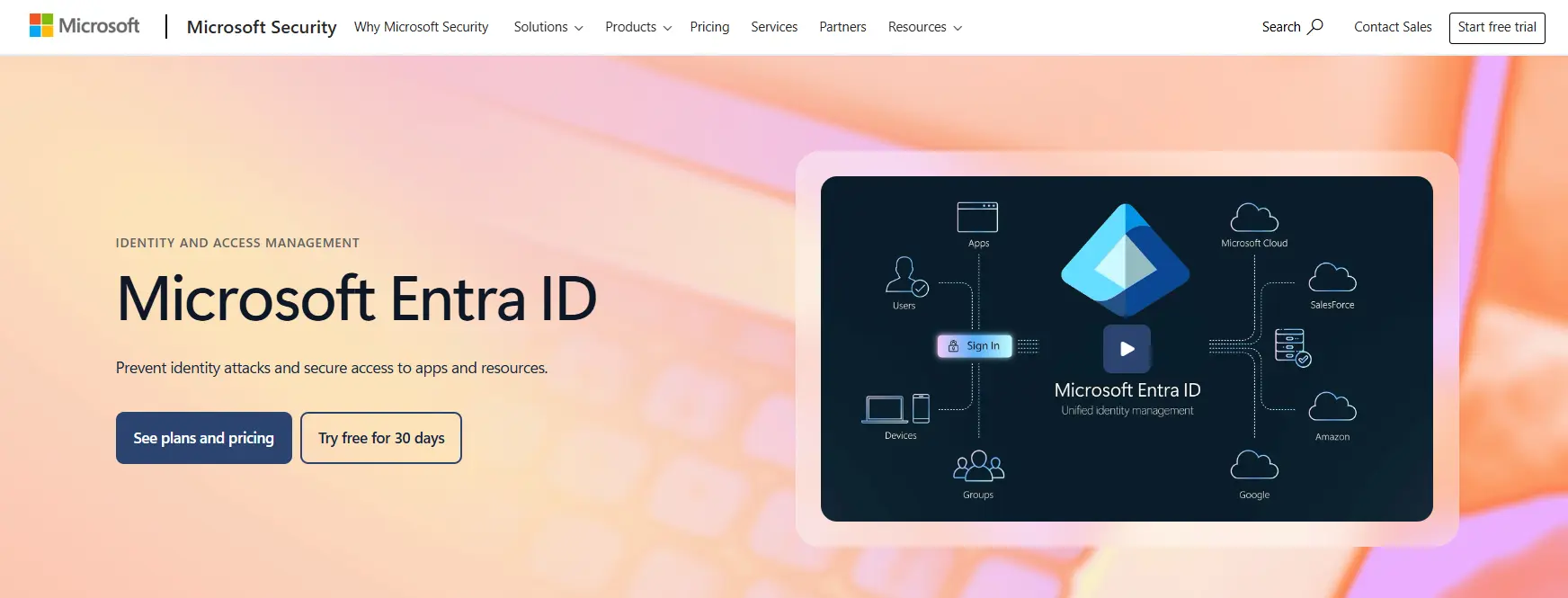
Microsoft Entra ID has earned its place as a widely recognized leader in the identity and access management space, serving as the backbone of authentication and authorization for organizations invested in the Microsoft ecosystem.
With over 610 million monthly active users, it combines single sign-on, multi-factor authentication, conditional access, and identity governance into a unified platform that integrates seamlessly with Microsoft 365, Azure, and Dynamics 365.
But as your organization grows, you might find that an all-in-one platform tied closely to a single ecosystem creates challenges. Perhaps you need vendor neutrality for a multi-cloud strategy, or your development team requires more customization than standard configurations allow. Maybe your budget demands open-source alternatives, or you simply need specialized tools that excel at specific tasks rather than a generalist solution.
That's where this guide comes in. We'll explore dedicated Microsoft Entra ID alternatives that excel where you need them most, whether you're looking to:
- Implement vendor-neutral identity management across heterogeneous IT environments
- Find a unified directory platform for small teams without complex licensing
- Deploy identity infrastructure in hybrid configurations (cloud and on-premises)
- Build custom authentication experiences for customer-facing applications
- Eliminate licensing costs entirely with self-hosted open-source solutions
- Layer specialist MFA protection on top of existing identity infrastructure
- Enable cross-company contact sharing without the overhead of guest account management
This isn't about finding a better platform. It's about finding the right fit for your specific needs. Let's dive into the alternatives that can give you the specialized capabilities you're looking for.
Microsoft Entra ID Alternatives Summary

Federated Directory
Best Complementary Tool for Cross-Company Contact Sharing
Unlike the identity alternatives in this list, Federated Directory solves a different problem: sharing contact information across organizational boundaries without creating guest accounts. It works alongside your identity platform rather than replacing it.

Okta
Best Alternative for Vendor-Neutral Enterprise Identity Management
Okta provides a comprehensive identity platform with 7,000+ pre-built integrations that treats all applications equally, making it ideal for organizations pursuing multi-cloud strategies or seeking to avoid Microsoft ecosystem dependency.

JumpCloud
Best Alternative for Small Teams Needing Unified Directory
JumpCloud offers a complete identity and device management platform with cross-platform support for Windows, macOS, and Linux without the Windows-centric bias of Microsoft's approach.

Ping Identity
Best Alternative for Hybrid-Ready Identity Deployment
Ping Identity offers deployment flexibility with the ability to run identity infrastructure on-premises, in the cloud, or in hybrid configurations, along with superior protocol support for complex multi-vendor environments.

Auth0
Best Alternative for Developer-First Identity Customization
Auth0 provides development teams with the building blocks to implement custom authentication in hours rather than weeks, with extensive SDKs, Actions for custom code execution, and a generous free tier supporting 25,000 monthly active users.

Keycloak
Best Alternative for Zero Licensing Costs
Keycloak is an open-source IAM solution with no per-user fees, complete data sovereignty through self-hosting, and unmatched customization potential for organizations with strong DevOps expertise.

Cisco Duo
Best Alternative for Specialist MFA Protection
Cisco Duo provides focused, security-first multi-factor authentication that layers on top of existing identity providers, offering device trust verification without full MDM enrollment and phishing-resistant authentication methods.
What is Microsoft Entra ID?
Microsoft Entra ID (formerly Azure Active Directory) is a cloud-based identity and access management solution that serves as the foundation for authentication and authorization across Microsoft's ecosystem.
With over 610 million monthly active users, it provides a centralized directory and identity management service that protects identities and secures access to applications and resources, whether in the cloud or on-premises.
Its key features include:
- Core Directory and Authentication providing a cloud-native repository for user identities with support for single sign-on across thousands of SaaS applications
- Multi-Factor Authentication (MFA) with various verification methods including the Microsoft Authenticator app, FIDO2 security keys, and Windows Hello for Business
- Conditional Access enabling policy-based access controls based on user identity, device health, location, and real-time risk assessment
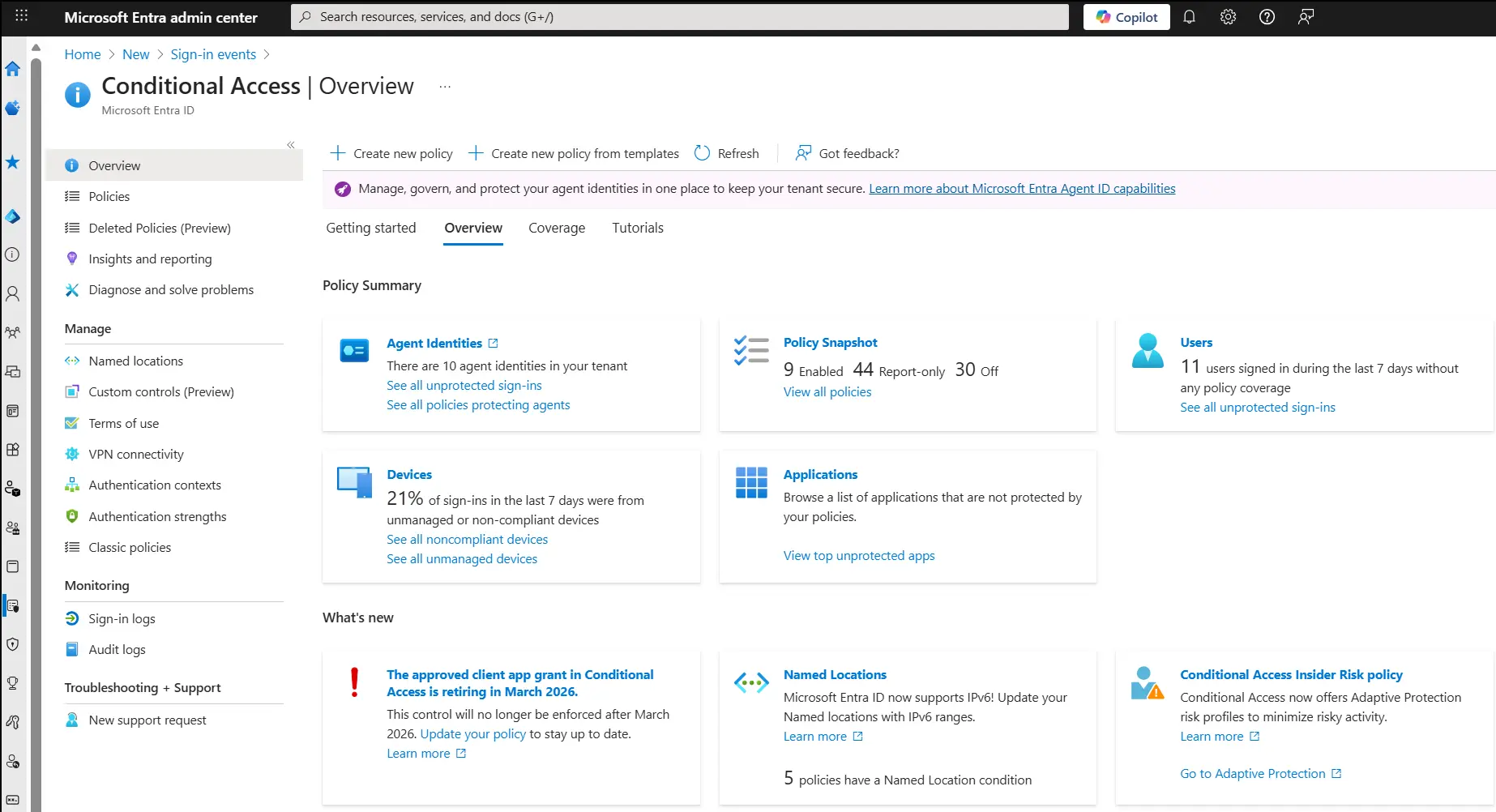
- Identity Protection leveraging machine learning to detect and remediate identity-based risks including leaked credentials and suspicious sign-in behavior
- Identity Governance with entitlement management, access reviews, privileged identity management, and lifecycle workflows
- External ID for B2B collaboration with partners and customer identity and access management (CIAM) scenarios
- Hybrid Connectivity through Microsoft Entra Connect for synchronizing on-premises Active Directory with the cloud
When a user signs in to an application protected by Microsoft Entra ID, the system verifies their identity, evaluates conditional access policies, and issues a security token that grants access based on their permissions.
Everything connects through a unified platform: identity data flows into security policies, risk signals trigger appropriate access controls, and governance workflows ensure users maintain only the access they need.
For organizations invested in Microsoft 365, Azure, and Dynamics 365, this integration creates a seamless experience. But as organizations grow or diversify their technology stack, they may find that a tightly integrated ecosystem creates dependencies they'd prefer to avoid, or they may need specialized capabilities that a generalist platform cannot provide at the same depth.
How We Curated Our List of Microsoft Entra ID Alternatives
After researching Microsoft Entra ID and evaluating the identity and access management market, we found that organizations searching for alternatives typically have specific requirements that extend beyond what a single ecosystem-focused platform can provide.
While Entra ID excels at securing Microsoft-centric environments, organizations often need solutions that provide more power in specific areas:
- Vendor neutrality for multi-cloud environments where treating all applications equally matters
- Deployment flexibility for hybrid scenarios requiring on-premises capabilities
- Developer-first tooling for building custom authentication experiences in customer-facing applications
- Cost optimization through open-source alternatives or generous free tiers
- Specialist security through focused MFA solutions that layer on existing infrastructure
- Cross-organizational collaboration for sharing contact information with partners without identity complexity
Each tool on this list is a leader in one of these areas.
❗ DISCLAIMER: We aren't covering every single identity tool! Our focus is on highlighting the best alternatives that address specific limitations of Microsoft Entra ID for various use cases. We've also included a complementary solution (Federated Directory) that works alongside identity platforms rather than replacing them, because cross-company contact sharing is a common need that identity platforms don't address well.
1. Federated Directory — The Cross-Company Address Book Solution That Complements Your Identity Platform
Federated Directory is a cloud-based cross-company contact directory that enables organizations to share corporate address books with trusted partners.
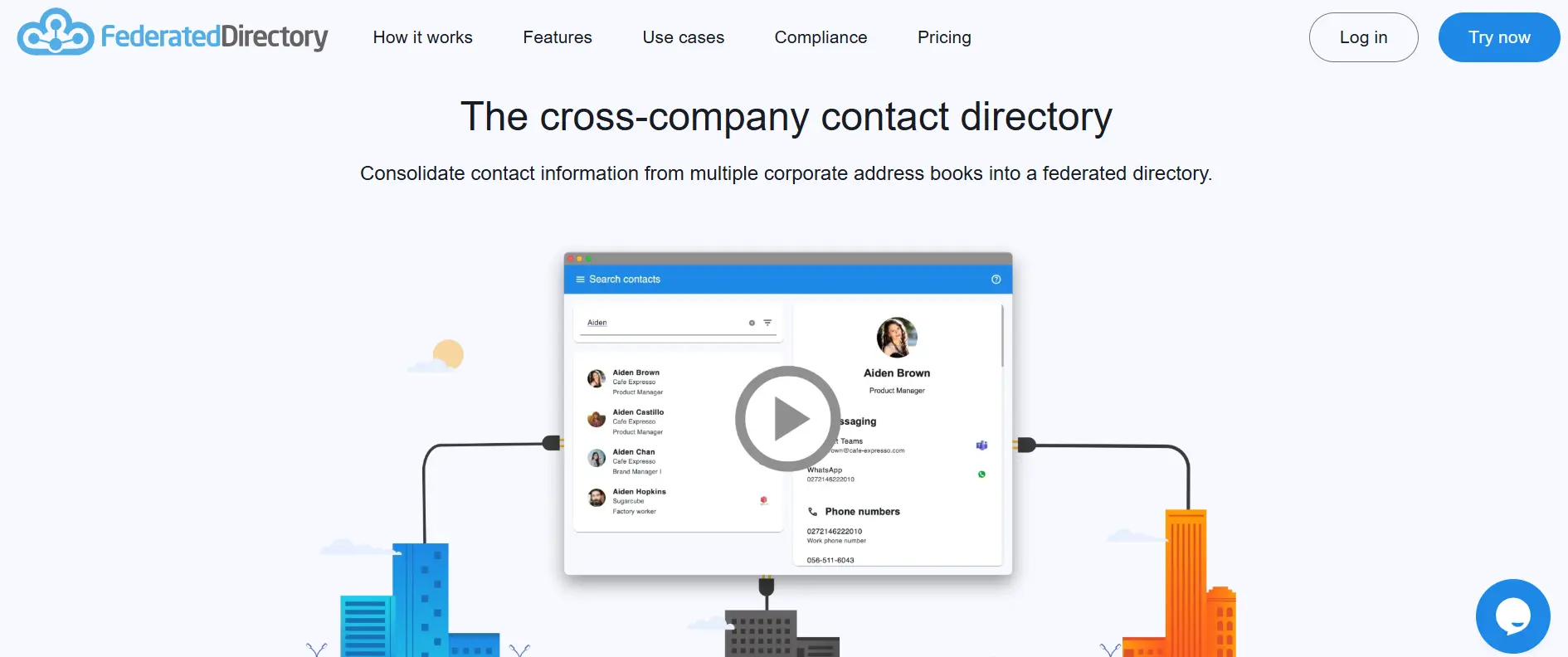
Unlike the identity platforms in this article, Federated Directory does not replace your enterprise identity provider. It solves a specific problem that identity platforms don't address well: finding contact information for people in partner organizations without the overhead of managing guest accounts or complex B2B sync configurations.
To be clear about what Federated Directory is and isn't: it's a contact directory solution, not a calendar sync tool, file sharing system, or identity provider. It doesn't synchronize application data between organizations.
If you're looking for those capabilities, you'll want to evaluate the identity platforms elsewhere in this guide. But if your teams regularly spend time hunting down phone numbers and email addresses for people at partner companies — calling colleagues, searching LinkedIn, or digging through old email threads — Federated Directory addresses that specific issue.
The platform is developed by Fed Blokes, a European company based in Dordrecht, The Netherlands.
Its key capabilities include:
- SCIM-Compliant API enabling automated user provisioning and custom integrations using the open System for Cross-domain Identity Management standard
- Model Context Protocol (MCP) Endpoint for AI and LLM integration, allowing agentic workflows to query contact data without exposing your core identity infrastructure
- Cross-Platform Directory Integration with native connections to Microsoft 365/Entra ID, Google Workspace, Okta, and OneLogin
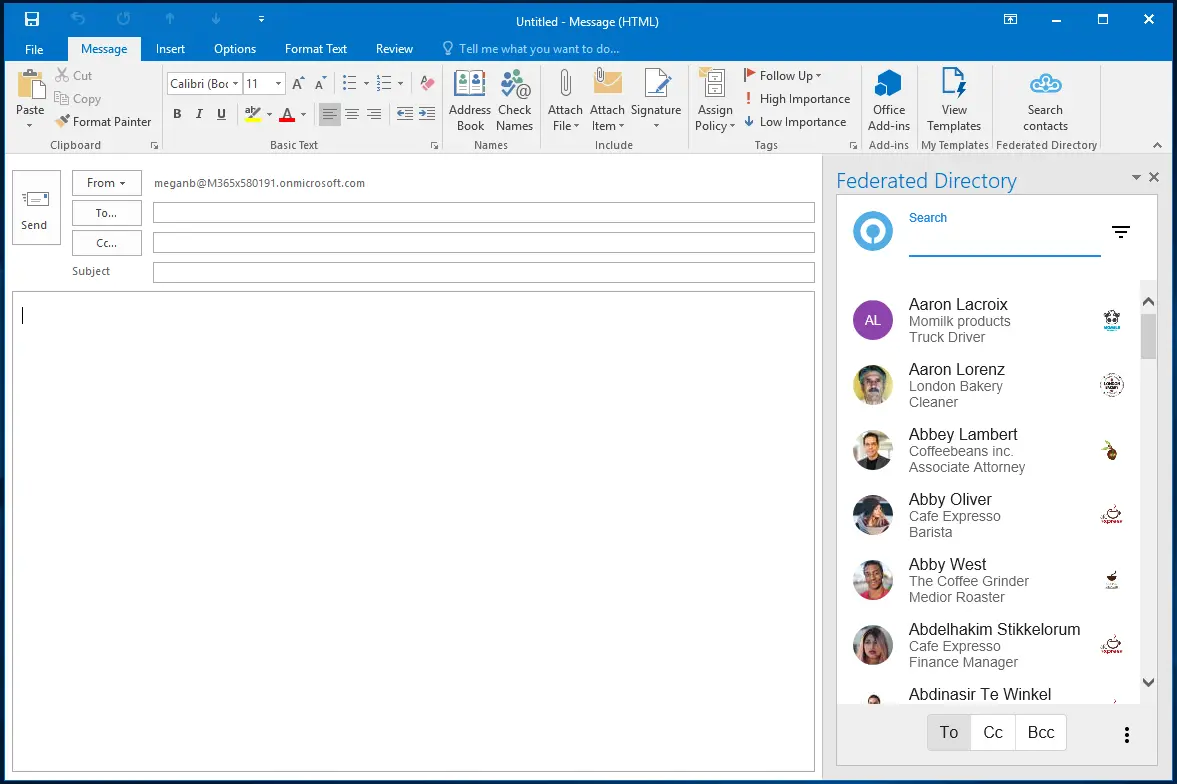
- Native Workflow Integration through add-ins for Microsoft Outlook and Microsoft Teams, plus web and mobile apps
- European Data Residency with data stored in European data centers (Germany) and GDPR compliance, useful for European organizations navigating sovereign cloud requirements or developers who need compliance justification for security and legal teams
Why Choose Federated Directory Alongside Your Identity Platform
Federated Directory addresses gaps in how identity platforms handle cross-organizational contact sharing. Here's where it provides value:
Single Endpoint for Multi-Tenant Environments
Consider a holding company with five subsidiaries, each with their own Entra ID tenant (or a mix of Microsoft and Google Workspace environments). If you want to build an application or AI workflow that can look up contacts across all five organizations, you'd typically need to connect to five different directory APIs, handle five different authentication methods, and normalize five different data formats.
Federated Directory provides a single, clean API endpoint. Each organization connects once to the federated directory, and any application or AI agent can query contacts across all connected organizations through one integration.
The math is straightforward: adding a tenth organization to a traditional mesh sync topology would require nine new bidirectional sync configurations; with Federated Directory, it requires exactly one connection.
Separation of Contact Data from Identity Permissions
When you use Microsoft Entra ID's B2B collaboration features, you create guest user objects in your directory. These guest accounts exist within your identity system, which means they have a potential path to permissions on your resources, even though guest users aren't visible in your Global Address List by default and have limited permissions initially.
Federated Directory takes a different approach: partner contacts never become objects in your identity directory.
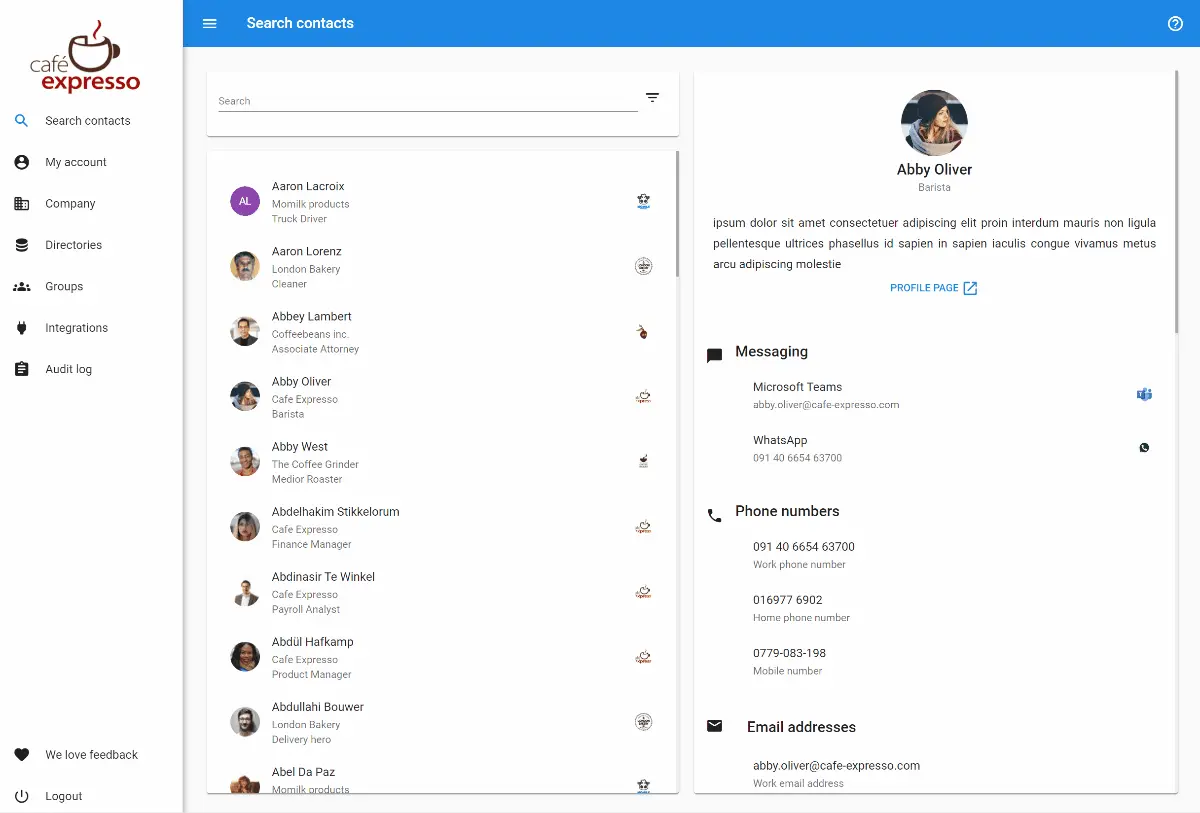
There's no guest account to manage, no risk of accidentally granting permissions to what should be a simple contact record, and no cleanup required when partnerships end. Your Entra ID tenant stays cleaner, containing only the identities that actually need access to your resources.
AI-Safe Contact Data Layer
As organizations deploy AI agents and LLM-powered workflows that need access to contact information, a security concern emerges: connecting AI directly to identity systems like Microsoft Graph API exposes more than just contact data.
Graph API access can reveal group memberships, application permissions, and organizational metadata — information that becomes a liability if an AI agent is compromised through prompt injection attacks, which OWASP ranks as the #1 threat to LLM applications.
Recent vulnerabilities like CVE-2025-32711 (EchoLeak) demonstrated how prompt injection in Microsoft 365 Copilot could exfiltrate data through Graph API access.
Federated Directory provides a security boundary: AI agents query only contact data through a purpose-built, limited API that follows the principle of least privilege. If an AI workflow is compromised, attackers gain access to names, email addresses, and phone numbers — not identity permissions, security group memberships, or application access rights.
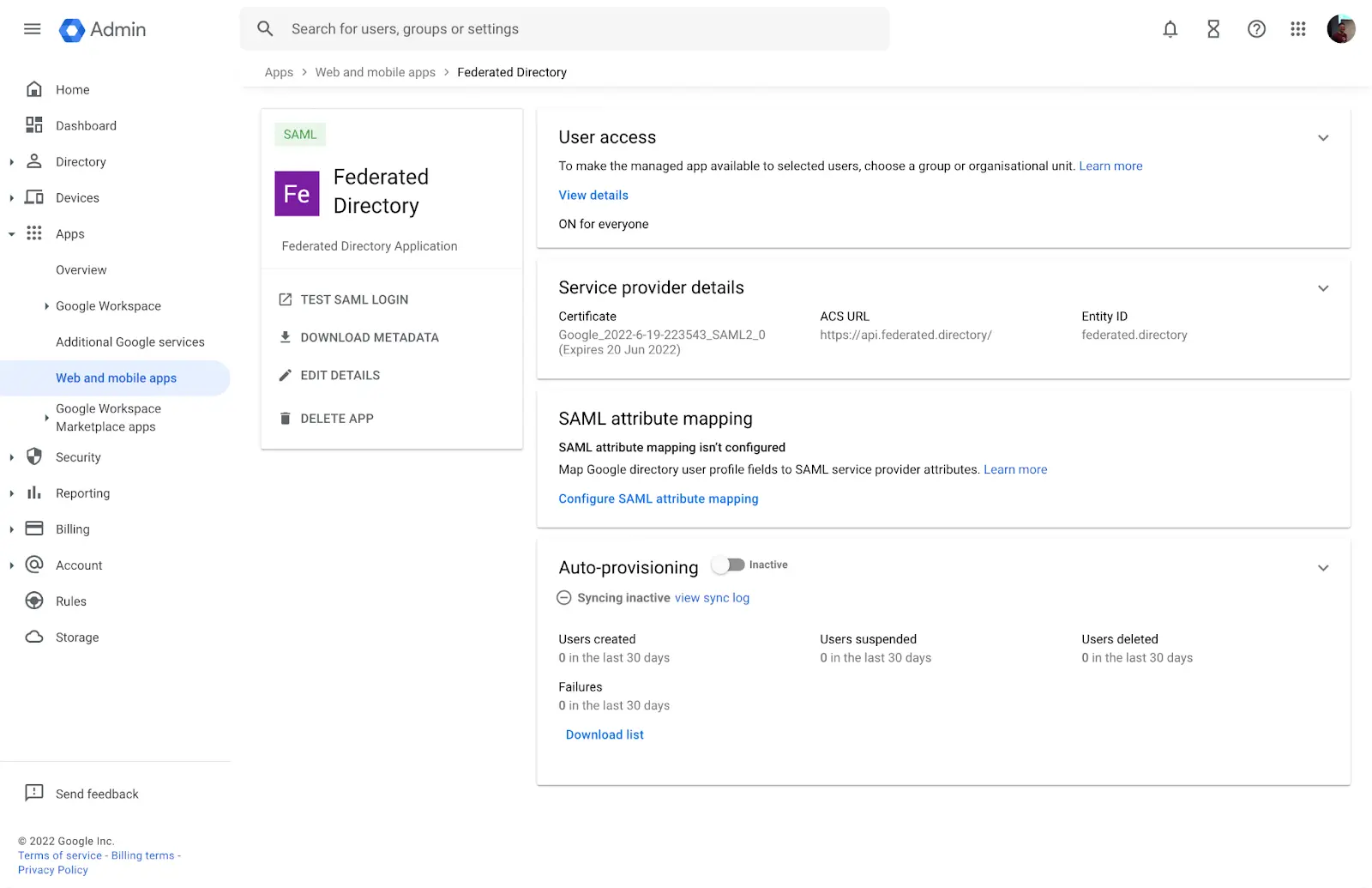
This architecture also decouples your AI integrations from your underlying identity provider. If your organization later migrates from Microsoft to Google Workspace, or acquires a company running Okta, your AI workflows continue working without rebuilding integrations.
Privacy-First Partner Data Sharing
Federated Directory acts as a buffer between organizations. Rather than trusting the data quality of a partner's entire Active Directory or granting broad access for sync purposes, organizations share only the contact attributes they explicitly choose to expose via SCIM. Each organization maintains full control over what data they share, what data they consume, and which partner relationships they maintain — a "clean room" approach to cross-company contact data.
⚡ Federated Directory in Action: When your team needs to contact someone at a partner organization, they search the federated directory from within Outlook or Teams. They find the person's email, phone number, and department without that person ever appearing as a guest in your Entra ID tenant.
For AI-integrated environments, this becomes even more seamless. The contact lookup happens in the background as part of how an AI assistant finds information — invisible infrastructure rather than a conscious tool selection.
🏅 NOTE: We also evaluated Microsoft Entra ID's native B2B collaboration features for cross-company contact sharing. While Entra B2B excels at providing partners with authenticated access to specific applications and resources through Conditional Access policies, Federated Directory offers a simpler, more focused solution specifically for teams that need to share contact information without creating guest accounts or managing complex cross-tenant configurations.
Federated Directory Pricing
Federated Directory uses a volume-based pricing model where all tiers include full feature access.
Free Tier
- Up to 20 users at no cost
- Full feature access including API, Outlook add-in, and Teams integration — no limitations except user count
Paid Tiers
- Paid plans are available for organizations exceeding 20 users
- Contact Federated Directory for specific pricing details
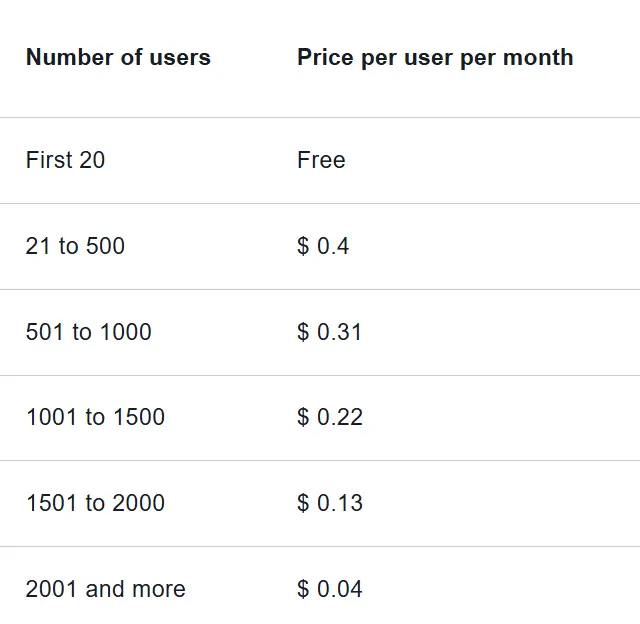
The pricing is positioned at a level where a developer or IT administrator can typically add the subscription without extensive budget approval processes.
Who Should Use Federated Directory?
Choose Federated Directory if:
- Your organization collaborates frequently with multiple external partners and employees spend significant time tracking down contact information. Such is common in holding company structures, franchise networks, consulting firms with multiple clients, or organizations that regularly form cross-company project teams
- You're going through a merger or acquisition and need immediate cross-company collaboration while full IT integration happens in the background
- You want to avoid creating guest accounts in your identity directory for partners who only need to be findable, not granted application access
- Your partners use different platforms (some on Microsoft 365, others on Google Workspace) and you need a vendor-neutral solution that bridges these ecosystems without forcing standardization
- You're deploying AI agents or LLM-powered workflows that need access to contact data and you want a dedicated, limited-scope API rather than exposing your full identity directory through Graph API
- Data sovereignty matters to your organization and you require GDPR compliance with European data residency
Important distinction: Federated Directory is not an alternative to Microsoft Entra ID in the traditional sense. It doesn't provide SSO, MFA, or access control for your applications. Instead, it's a specialized addition to your tech stack that solves a specific problem identity platforms don't address well.
If you're searching for a solution to cross-company contact discovery, Federated Directory is likely exactly what you need. Consider adding it alongside whichever identity solution you choose from this guide.
2. Okta — Best Alternative for Vendor-Neutral Enterprise Identity Management
Okta is an independent, cloud-native identity and access management platform that provides a comprehensive suite of workforce and customer identity solutions.
Founded in 2009 by former Salesforce executives, Okta was purpose-built to address the challenge of managing user identities across increasingly heterogeneous IT environments.
Its key capabilities include:
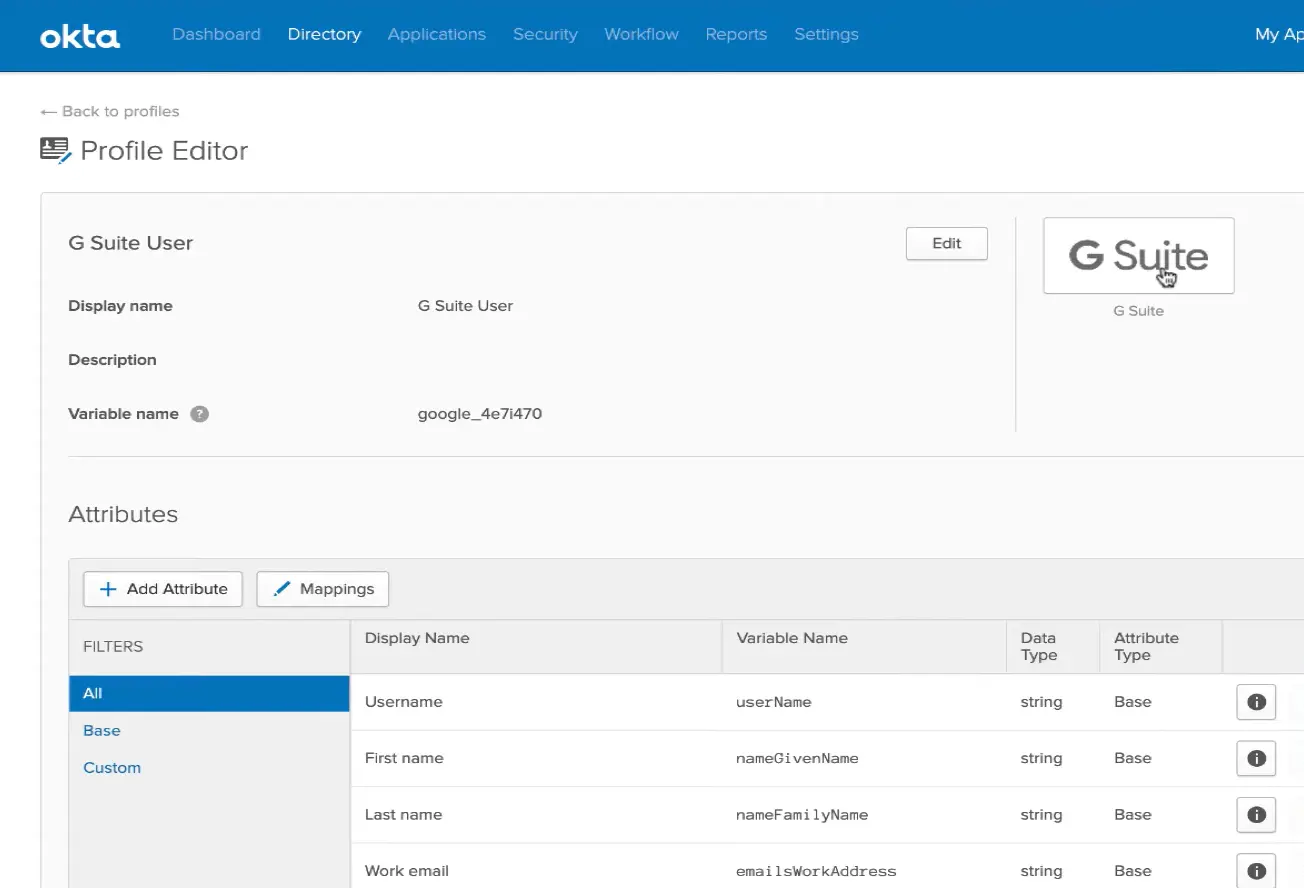
- Universal Directory with 7,000+ Pre-Built Integrations creating a centralized, cloud-based repository that consolidates user identities from multiple sources
- Adaptive Multi-Factor Authentication (MFA) with Okta ThreatInsight providing proactive protection leveraging threat intelligence from millions of daily authentications
- Okta Identity Governance combining IAM with IGA capabilities including access certifications, entitlement management, and lifecycle workflows
- Industry-Leading 99.99% Uptime SLA providing resilience against operational risks
- Okta Integration Network (OIN) supporting SSO, automated user provisioning via SCIM, and directory synchronization
Why Choose Okta Over Microsoft Entra ID
Okta stands out in several key areas:
1. Vendor Neutrality and Multi-Cloud Flexibility
While Microsoft Entra ID offers integrations with Microsoft's own products along with thousands of third-party applications, Okta was architected from inception as a neutral identity layer designed to sit above any technology stack. The Okta Integration Network's 7,000+ pre-built integrations span the full spectrum of enterprise applications across AWS, Google Cloud Platform, Salesforce, and legacy on-premises systems.
2. Unified Identity Governance Without Complex Licensing Tiers
Microsoft Entra ID's identity governance capabilities are fragmented across multiple licensing tiers and add-ons. Okta Identity Governance bundles access certifications, entitlement management, and lifecycle workflows into a cohesive offering with a no-code workflow automation engine.
3. Network Effect Threat Intelligence Through ThreatInsight
Okta's Adaptive MFA aggregates threat data from millions of authentication requests across its entire customer base. An attack detected against one Okta customer immediately benefits all customers through automated blocking.
🏅 NOTE: We also evaluated alternatives such as CyberArk and Ping Identity for vendor-neutral enterprise identity. While CyberArk excels at privileged access management and Ping Identity offers advanced integration flexibility for complex enterprise federation scenarios, Okta provides a comprehensive breadth of pre-built integrations for organizations specifically seeking to avoid Microsoft ecosystem dependency.
Okta Pricing
- Starter Suite: $6/user/month (SSO, MFA, Universal Directory)
- Essentials Suite: $17/user/month (adds Adaptive MFA, Lifecycle Management, Access Governance)
- Enterprise Suite: Contact for pricing (adds API Access Management, Access Gateway)
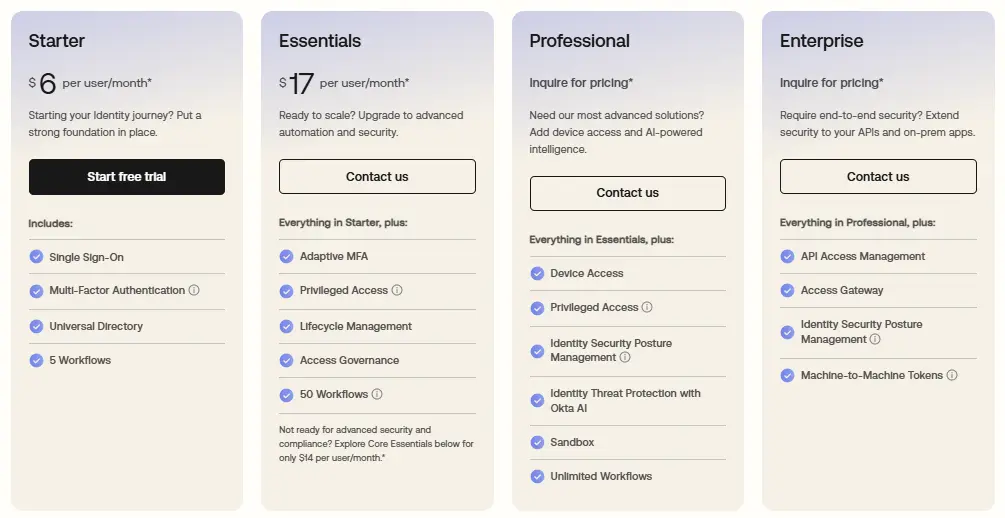
All pricing requires annual commitment with a minimum contract value of $1,500.
Who Should Use Okta?
Choose Okta if:
- Your organization operates a multi-cloud or heterogeneous technology environment where vendor-neutral integration depth matters
- Strategic vendor diversification is a priority for risk mitigation or regulatory reasons
- You need advanced identity governance without navigating Microsoft's complex licensing tiers
- You are evaluating a Microsoft-to-alternative migration path and want identity infrastructure that simplifies subsequent platform changes
3. JumpCloud — Best Alternative for Small Teams Needing Unified Directory
JumpCloud is a cloud-native open directory platform that centralizes identity, access, and device management into a single console, designed to reduce Windows-centric dependencies and simplify licensing.
Its key capabilities include:
- 30-Day Free Trial to evaluate the full platform (note: the perpetual free tier for 10 users ended for new customers in February 2024)
- Unified Cloud Directory serving as a single source of truth across Windows, macOS, and Linux
- Cross-Platform Device Management with broad support for all major operating systems
- Built-in RADIUS and LDAP Services available as add-ons for network authentication and legacy application support
- Zero Trust Security through conditional access policies and device trust verification
Why Choose JumpCloud Over Microsoft Entra ID
JumpCloud stands out in several key areas:
1. Comprehensive Platform with Competitive Pricing
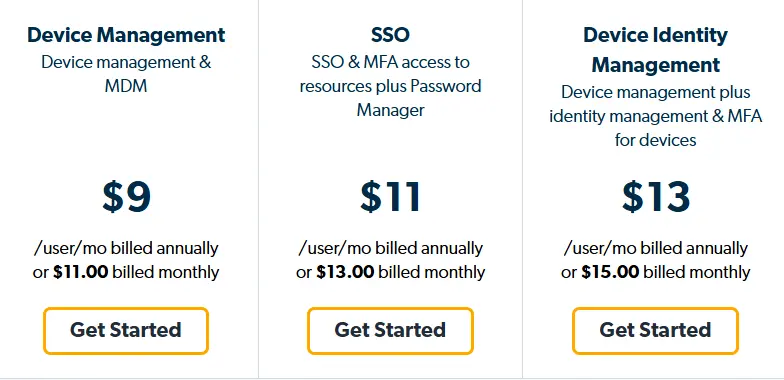
Microsoft Entra ID's free tier excludes critical features like conditional access and meaningful device management. JumpCloud's paid packages start at $9/user/month and include cloud directory, MFA, SSO, and device management. For organizations that previously created accounts before February 2024, a perpetual free tier covering up to 10 users remains available.
2. Cross-Platform Device Management Without Operating System Bias
JumpCloud was built from its inception as an operating system-agnostic platform. It provides management capabilities across Windows, macOS, and Linux from a single console, with policies and commands that work across operating systems.
3. Cloud LDAP and RADIUS Services
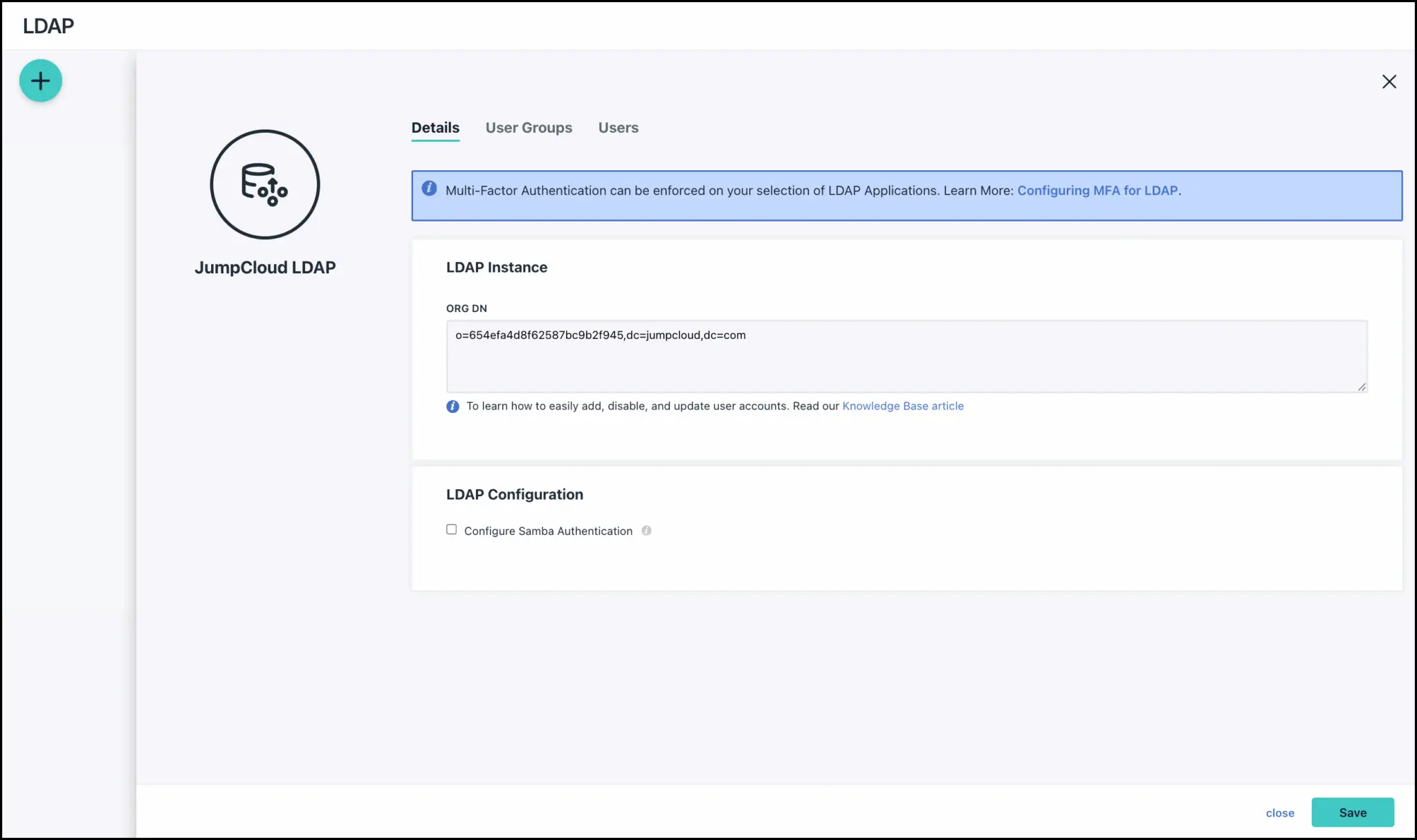
JumpCloud offers cloud LDAP and cloud RADIUS as add-on features. Organizations can point their LDAP-dependent applications and network equipment directly at JumpCloud's cloud infrastructure without deploying additional servers.
🏅 NOTE: We also evaluated Duo Free tier and Keycloak for the small business segment. While Duo offers solid free MFA and Keycloak provides powerful open-source capabilities, JumpCloud offers a comprehensive identity and device management platform for teams needing an all-in-one solution that works immediately without infrastructure investment.
JumpCloud Pricing
- 30-Day Free Trial: Full platform access for evaluation
- Device Management Package: $9/user/month (annual)
- SSO Package: $11/user/month (annual)
- Device Identity Management Package: $13/user/month (annual)
- Platform Packages: Contact sales for enterprise pricing
- Add-ons: Cloud LDAP and Cloud RADIUS available at $3/user/month each
Note: The perpetual free tier (10 users/10 devices) is only available for accounts created before February 1, 2024.
Who Should Use JumpCloud?
Choose JumpCloud if:
- You need an affordable unified directory platform with comprehensive identity and device management capabilities
- Your organization uses a mix of Windows, macOS, and Linux devices and needs broad cross-platform support
- You need LDAP or RADIUS authentication without maintaining on-premises infrastructure
- You want to consolidate identity and device management into a single platform
4. Ping Identity — Best Alternative for Hybrid-Ready Identity Deployment
Ping Identity is an enterprise-focused identity and access management platform that has been securing digital identities since 2002.
Ping Identity provides deployment flexibility that meets organizations wherever they are in their cloud journey. Its key capabilities include:
- Flexible Deployment Models with PingFederate deployable as IDaaS, containerized software, or hybrid configurations
- Comprehensive Federation Server (PingFederate) providing SAML, OAuth, OpenID Connect, and WS-Federation support
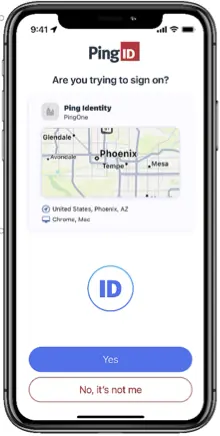
- Adaptive Multi-Factor Authentication (PingID) with push notifications, biometrics, FIDO2, and offline authentication
- Centralized Access Security (PingAccess) for securing web applications and APIs through a single policy enforcement point
- High-Performance Directory Services (PingDirectory) handling large-scale identity workloads
Why Choose Ping Identity Over Microsoft Entra ID
Ping Identity stands out in several key areas:
1. Hybrid Deployment Without Ecosystem Lock-In
Ping Identity offers deployment flexibility from the ground up. Organizations can deploy PingFederate entirely on-premises if regulatory requirements demand it, run it as a fully cloud-hosted service, or create hybrid configurations. This provides a unified platform that operates across any environment.
2. Superior Protocol Support for Complex Multi-Vendor Environments
PingFederate's protocol translation capability can receive an authentication request in one protocol and issue a token in another format, bridging the gap between modern identity systems and legacy applications. This allows organizations to connect disparate identity systems using SAML, OpenID Connect, WS-Federation, and OAuth without costly application rewrites.
3. Straightforward Pricing Structure
Ping Identity's PingOne for Workforce starts at $3 per user per month with clear delineation of what each tier includes.
🏅 NOTE: We also evaluated OneLogin and CyberArk for hybrid deployment flexibility. While OneLogin excels at user-friendly SaaS-based identity and CyberArk is a leader in privileged access management, Ping Identity offers flexible deployment options for teams needing to bridge on-premises infrastructure with cloud services.
Ping Identity Pricing
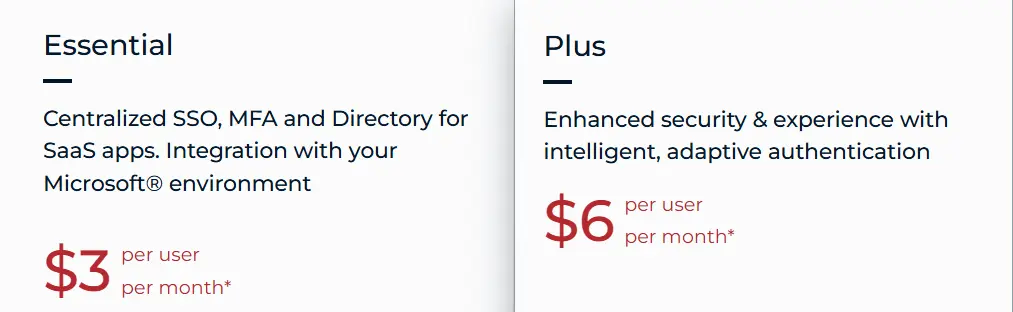
- PingOne for Workforce Essential: $3/user/month (annual, 5,000 user minimum)
- PingOne for Workforce Plus: $6/user/month (annual, 5,000 user minimum) adding Adaptive MFA and passwordless authentication
Free 30-day trial available for both tiers.
Who Should Use Ping Identity?
Choose Ping Identity if:
- You operate in a hybrid environment with strict requirements about where identity data resides
- You have complex federation requirements with multiple identity providers and legacy systems
- You want to reduce Active Directory dependency without a forced migration timeline
- You prefer vendor-neutral identity infrastructure for strategic flexibility
5. Auth0 — Best Alternative for Developer-First Identity Customization
Auth0 is a comprehensive identity and access management platform that provides developers with the building blocks to secure applications without becoming security experts themselves.

Founded in 2013 and acquired by Okta in 2021 for approximately $6.5 billion , Auth0 maintains its developer-centric focus while benefiting from enterprise resources.
Its key capabilities include:
- Developer-Friendly APIs and SDKs for most major programming languages and frameworks
- Extensive Customization with Actions allowing custom Node.js logic at defined points within authentication flows
- Free Tier with 25,000 Monthly Active Users including passwordless authentication and social connections
- Universal Login with Custom Branding centralizing and streamlining authentication
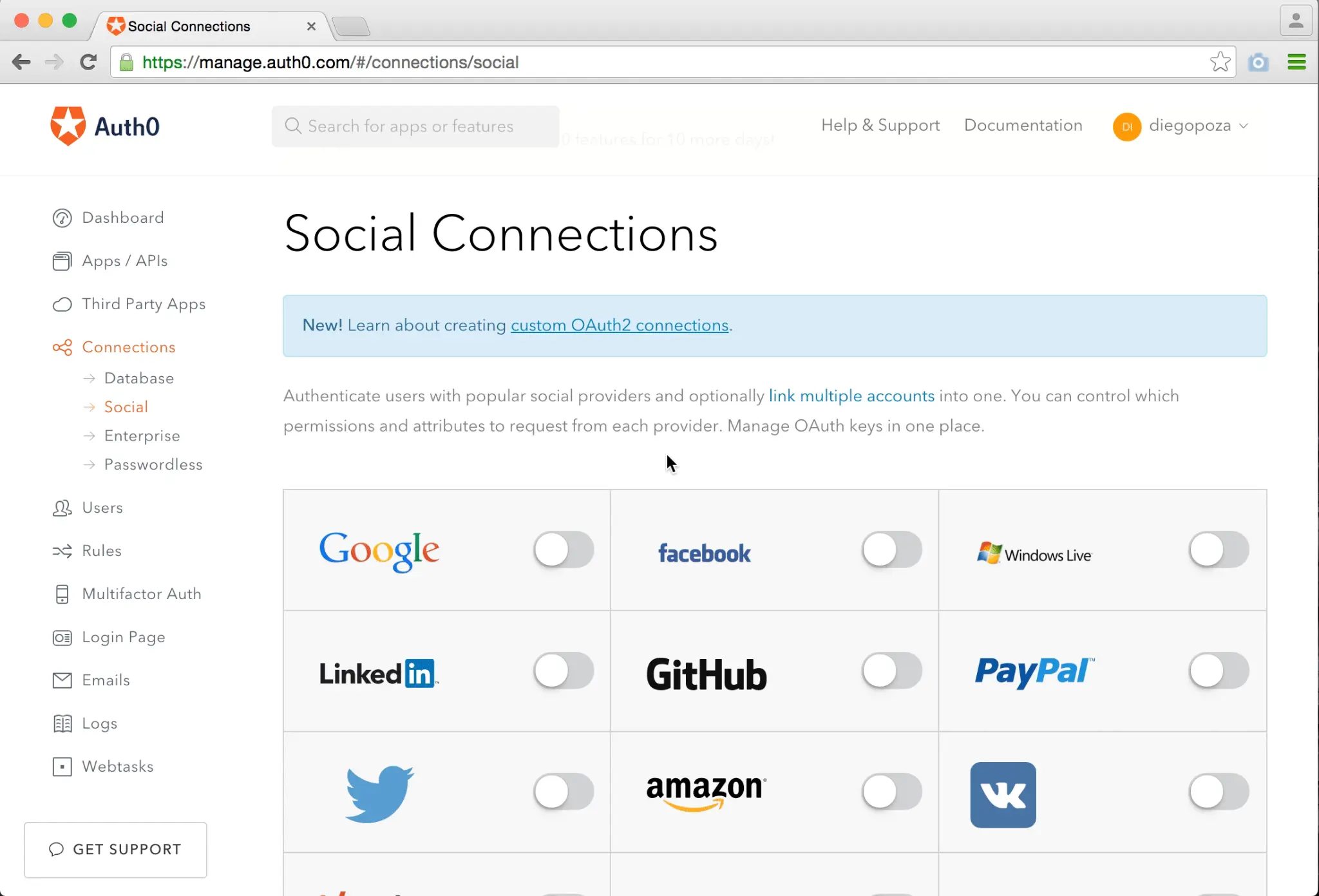
- Social Identity Provider Integration with quick integration for dozens of providers including Google, Facebook, Apple, and GitHub
Why Choose Auth0 Over Microsoft Entra ID
Auth0 stands out in several key areas:
1. Superior Developer Experience and Rapid Implementation
While Microsoft Entra ID's complexity can present a steep learning curve for development teams, Auth0 allows developers to integrate authentication features with minimal effort. Auth0 case studies report that some organizations have reduced development time significantly compared to building in-house authentication, with comprehensive documentation and SDKs for virtually every major framework.
2. Advanced Customization for Customer-Facing Applications
Auth0's Actions feature enables custom code execution at defined trigger points in the authentication pipeline (such as post-login, pre-user-registration, and MFA). Developers can enrich user profiles with data from external APIs, implement complex conditional MFA logic, integrate with any third-party service, or build completely custom approval workflows. Universal Login pages can be fully templated with custom HTML, CSS, and JavaScript.
3. Specialized Customer Identity and Access Management (CIAM) Capabilities
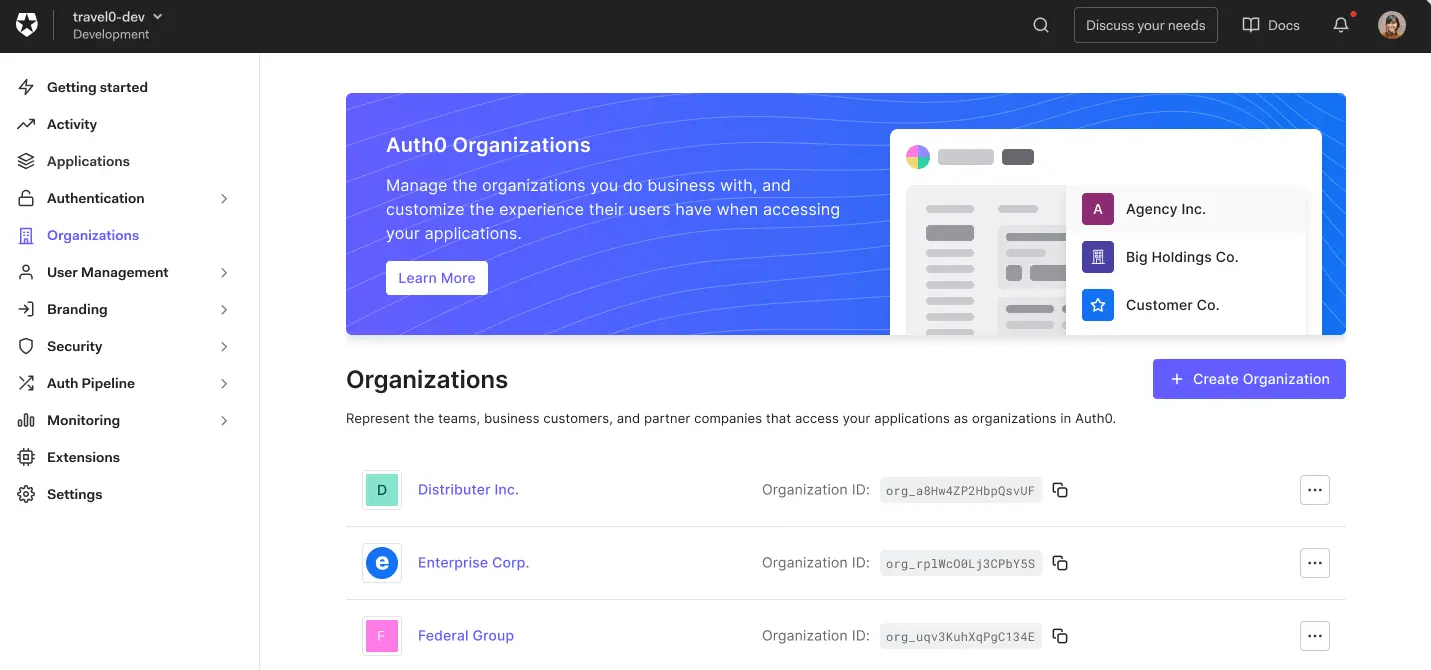
Auth0's Organizations feature provides purpose-built B2B SaaS capabilities, allowing SaaS providers to represent each business customer as a distinct organization with its own branding, authentication methods, and member management.
🏅 NOTE: We also evaluated Amazon Cognito and LoginRadius for developer-first identity. While Amazon Cognito excels at AWS integration and LoginRadius provides strong enterprise CIAM features, Auth0 offers a versatile combination of developer experience, extensibility, and CIAM capabilities.
Auth0 Pricing
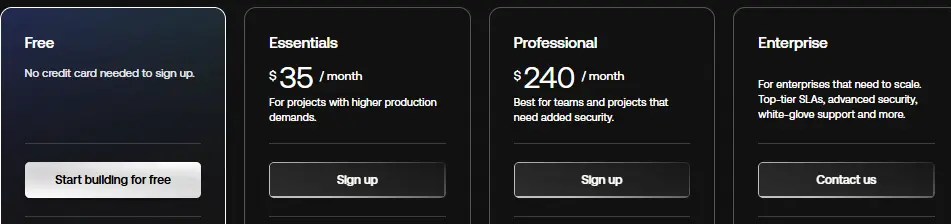
- Free Plan: $0 for up to 25,000 MAU
- Essentials Plan: $35/month for up to 500 MAU
- Professional Plan: $240/month for up to 500 MAU
- Enterprise Plan: Custom pricing
Who Should Use Auth0?
Choose Auth0 if:
- Your development team needs to ship custom authentication quickly without identity management expertise
- You're building a customer-facing SaaS application with complex multi-tenant requirements
- You need extensive customization of authentication flows beyond policy-based access control
- Your application relies heavily on social logins and you need to reduce registration friction
- You're not deeply invested in the Microsoft ecosystem and prefer a platform-agnostic solution
6. Keycloak — Best Alternative for Zero Licensing Costs
Keycloak is an open-source Identity and Access Management solution developed by Red Hat and now an incubating project under the Cloud Native Computing Foundation (CNCF).
It provides enterprise-grade identity management features without any licensing fees, making it compelling for organizations seeking to eliminate IAM expenditure. Its key capabilities include:
- Single Sign-On (SSO) with Single Sign-Out for users to authenticate once across multiple applications
- Identity Brokering for delegating authentication to external identity providers
- User Federation with LDAP and Active Directory enabling native synchronization with existing directories
- Fine-Grained Authorization Services supporting RBAC, ABAC, and policy-based access control
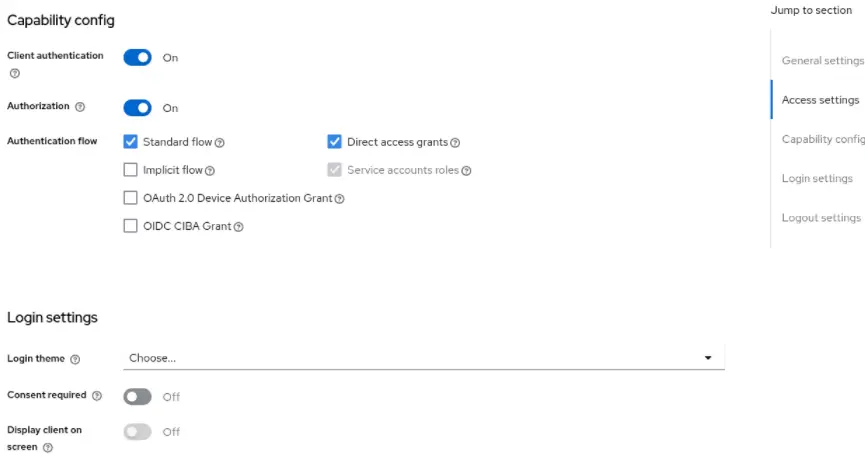
- Multi-Factor Authentication including TOTP and FIDO2/WebAuthn support
- Self-Hosted Deployment Flexibility on-premises, in private clouds, or on Kubernetes
Why Choose Keycloak Over Microsoft Entra ID
Keycloak stands out in several key areas:
1. Completely Free with No Per-User Fees
Microsoft Entra ID's advanced features require P1 ($6/user/month) or P2 ($9/user/month) licensing, with Identity Governance adding another $7/user/month. For an organization with 10,000 users requiring full governance, this could exceed $160,000 monthly. Keycloak is licensed under Apache 2.0 with zero licensing fees regardless of user count.
2. Complete Data Sovereignty and Self-Hosting Control
Keycloak can be deployed entirely on-premises or within an organization's own private cloud, providing control over where identity data is stored and processed. For organizations in regulated industries with strict data sovereignty requirements, this self-hosted capability removes a significant compliance barrier.
3. Deep Customization Through Service Provider Interfaces (SPIs)
Keycloak's architecture allows organizations to extend or replace many aspects of its functionality through SPIs. Custom authentication flows, user storage providers for various databases, protocol mappers, and event listeners can all be implemented for organization-specific requirements.
🏅 NOTE: We also evaluated Authentik and Gluu Server for open-source identity. While Authentik offers a more modern UI and Gluu provides commercial support options, Keycloak offers a combination of enterprise-proven deployments, active CNCF-backed development, and comprehensive protocol support.
Keycloak Pricing
- Open-Source Community Version: Free under Apache 2.0 license
- Red Hat Build of Keycloak: Included in Red Hat Runtimes subscriptions (core-based pricing)
Note: Total cost of ownership includes infrastructure and operational expertise costs for production deployments.
Who Should Use Keycloak?
Choose Keycloak if:
- Your organization has strong in-house DevOps and Java development capabilities for managing a self-hosted IAM platform
- You have strict data sovereignty or compliance requirements that preclude cloud-hosted identity services
- Your user base is large and growing, making per-user licensing costs prohibitive
- You need to integrate with legacy or proprietary user stores that lack standard protocol support
- You prefer to avoid vendor lock-in and want full control over your IAM roadmap
7. Cisco Duo — Best Alternative for Specialist MFA Protection
Cisco Duo is a cloud-based multi-factor authentication and secure access platform that provides organizations with a focused, security-first approach to protecting applications without requiring them to overhaul their existing identity infrastructure.
Its key capabilities include:
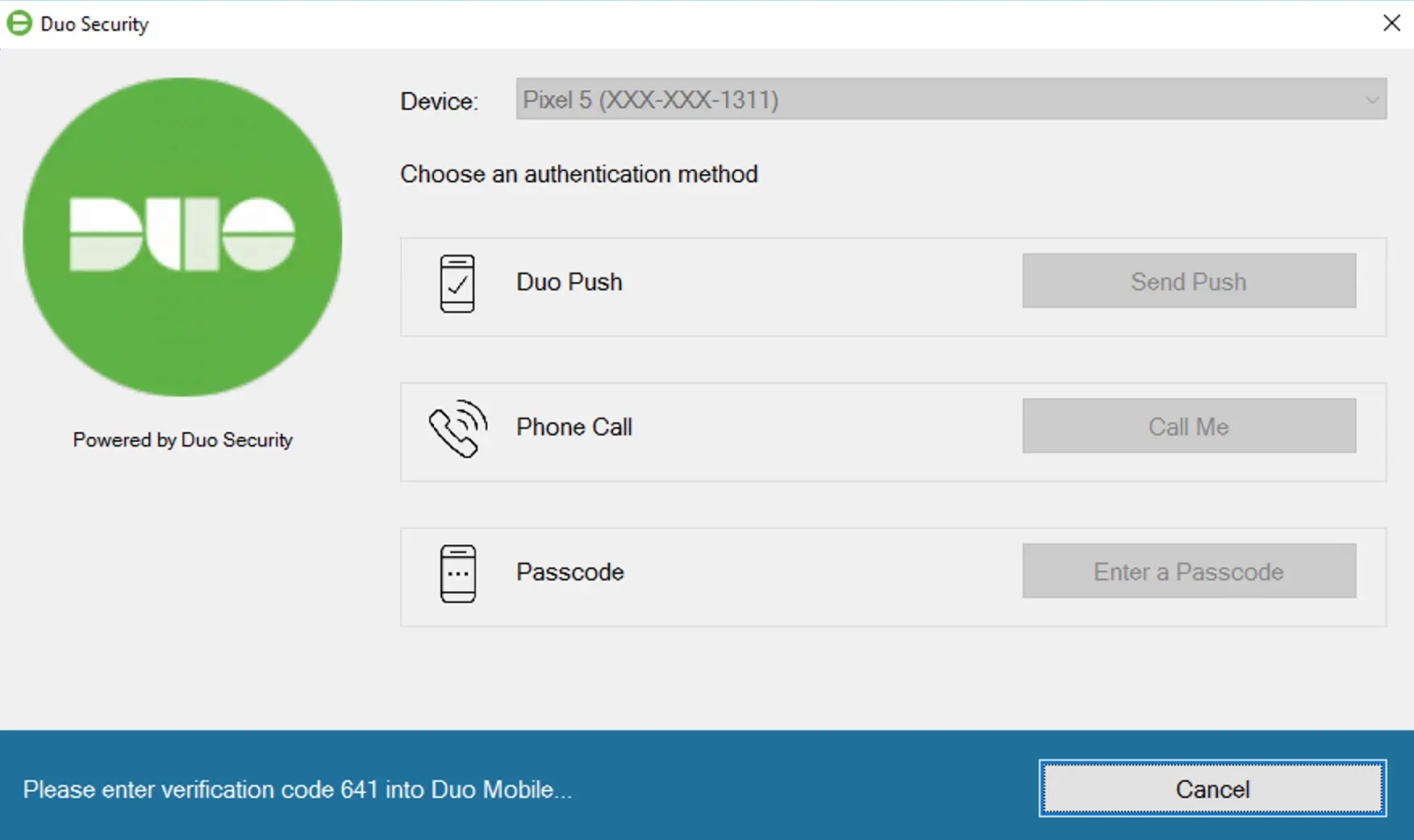
- Push-Based Multi-Factor Authentication with the Duo Mobile app for one-tap login approval
- Phishing-Resistant Authentication including FIDO2 security keys and Verified Duo Push with number matching
- Device Trust Verification checking OS version, encryption status, and endpoint protection without full MDM enrollment
- Universal Application Coverage protecting VPNs, cloud applications, on-premises systems, and remote desktop access
- Free Tier providing complete MFA protection for up to 10 users
- Cloud-Native Architecture with over 99.99% uptime reliability backed by SLA guarantees
Why Choose Cisco Duo Over Microsoft Entra ID
Cisco Duo stands out in several key areas:
1. Deployment Speed and Operational Simplicity
Cisco Duo can often be deployed across an organization faster than a comprehensive identity platform migration would require. The Duo Push notification method allows users to approve authentication requests with a single tap, and the cloud-based console is designed for intuitive administration.
2. Works Alongside Any Identity Provider
Cisco Duo integrates with Microsoft Entra ID, Okta, Ping Identity, and on-premises Active Directory, allowing organizations to implement advanced MFA as an additional security layer. (Duo also offers Duo Directory for organizations that want to use it as a standalone identity provider.)
3. Device Health Verification Without Full MDM Enrollment
Duo's Device Trust capability provides visibility into and control over device security posture without requiring full Mobile Device Management enrollment. For organizations with BYOD policies or contractor relationships, this approach extends security coverage to personal and unmanaged devices.
🏅 NOTE: We also evaluated Yubico (hardware security keys) and RSA SecurID (enterprise MFA) for specialist MFA. While Yubico offers gold-standard hardware-based phishing resistance and RSA SecurID provides an established enterprise presence, Cisco Duo offers an accessible specialist MFA solution with cloud-native deployment and a practical free tier.
Cisco Duo Pricing
- Duo Free: $0/user/month (limited to 10 users)
- Duo Essentials: $3/user/month
- Duo Advantage: $6/user/month
- Duo Premier: $9/user/month
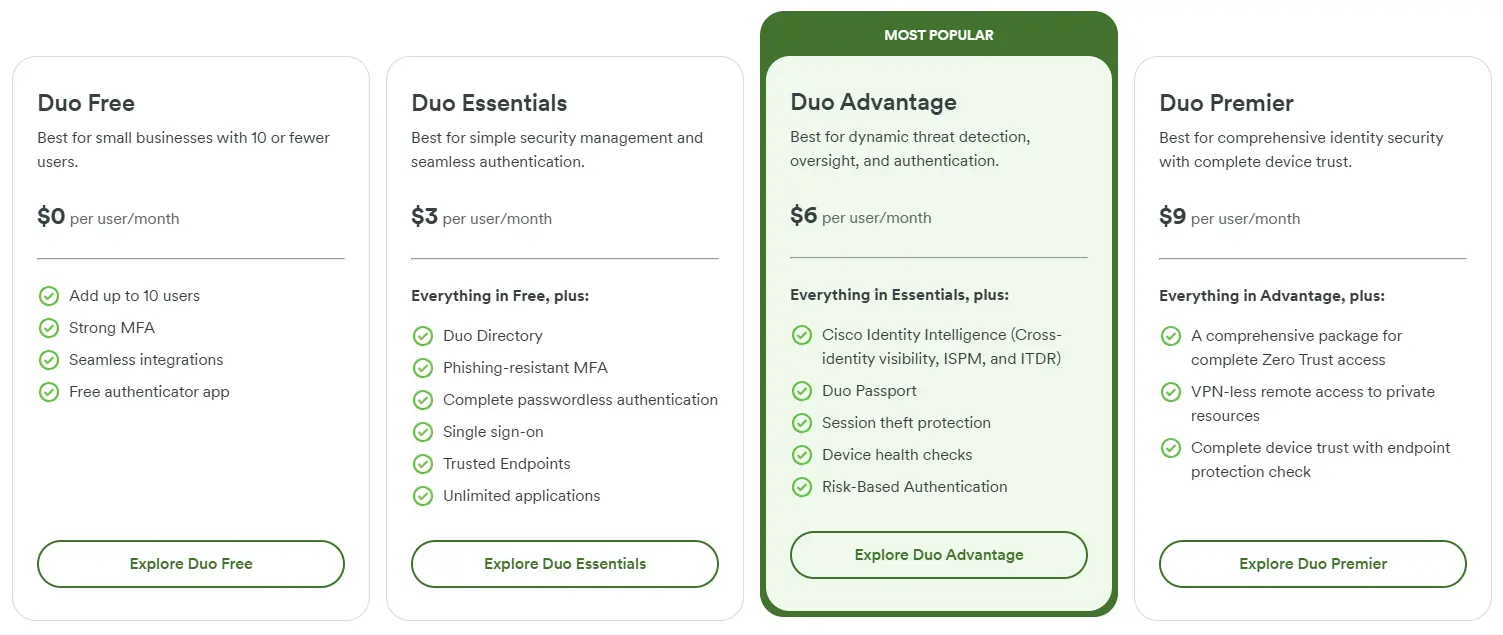
30-day free trial available for paid tiers.
Who Should Use Cisco Duo?
Choose Cisco Duo if:
- Your organization needs to strengthen authentication security quickly without replacing existing identity infrastructure
- You have a significant BYOD population or contractor workforce that cannot be enrolled in full MDM
- Your security team is resource-constrained and needs a focused solution rather than a platform requiring extensive administration
- You are evaluating zero-trust security approaches but need a practical first step before committing to a comprehensive identity platform migration
The Final Verdict
While Microsoft Entra ID excels as a comprehensive identity solution for Microsoft-centric environments, growing businesses often need specialized tools that offer better capabilities in specific areas or greater flexibility across diverse technology stacks.
Based on our research, here are the best alternatives:
- Federated Directory for cross-company contact sharing without the overhead of guest account management (works alongside your identity platform, not as a replacement)
- Okta for vendor-neutral enterprise identity management with 7,000+ integrations
- JumpCloud for teams needing unified identity and device management with competitive pricing
- Ping Identity for true hybrid deployment flexibility and complex federation requirements
- Auth0 for developer-first identity customization in customer-facing applications
- Keycloak for zero licensing costs with complete data sovereignty
- Cisco Duo for specialist MFA protection that layers on existing infrastructure
Remember, you don't have to choose between Microsoft Entra ID and these alternatives exclusively. Many organizations successfully use Entra ID alongside other tools to create their ideal tech stack.
For example, you might use Entra ID for workforce identity while adding Duo for enhanced MFA, or complement any identity platform with Federated Directory for cross-company contact sharing. Consider your specific needs and growth plans when deciding which combination works best for you.
Looking for a simpler way to share contact information with your partner organizations? Federated Directory connects your corporate address book with trusted partners without creating guest accounts in your identity system. With a free tier for up to 20 users, you can start collaborating more effectively today.
Learn more about Federated Directory